
The sk dark HyperOS Theme, modified by suhel with credit to the original creator Asazuki, brings a dark visual style to Xiaomi, Redmi and POCO smartphones. It combines dark icons, customisable lock-screen clock designs and a selection of city, nature and ocean wallpapers.
The theme also incorporates One UI-inspired styling, widgets and a dark dialer interface. With support listed for HyperOS, HyperOS 2 and HyperOS 3, sk dark offers an alternative to the standard system appearance for users who prefer darker interface designs.
sk dark HyperOS Theme Key Highlights
1. Dark Lock Screen and Wallpaper Collection
- Multiple Clock Styles: Choose between glass, outline and bold clock designs to change the appearance of the lock screen.
- Dynamic Lock Screen: The theme includes a customisable lock-screen design intended to complement its darker visual style.
- City, Nature and Ocean Wallpapers: Switch between different wallpaper styles to give your phone a fresh appearance.
- Customisation Options: Adjust supported lock-screen elements to suit your preferred layout.
2. Dark Icons and One UI-Inspired Interface
- Glowing Dark Icons: The icon design combines dark backgrounds with brighter visual accents for contrast.
- One UI-Inspired Styling: The theme draws on the visual approach associated with Samsung’s One UI while adapting it for the Xiaomi theme environment.
- Widgets: Additional widgets complement the home-screen design and provide a more personalised layout.
- Updated System Appearance: The theme is presented as a broader visual makeover rather than a wallpaper-only change.
3. Dark Dialer and System Elements
- Dark Dialer: The phone dialer follows the theme’s darker design direction.
- Custom Status Bar: Status bar styling is included among the theme’s visual changes.
- Always-on Display: The theme description lists a customised Always-on Display as part of its feature set.
- Consistent Dark Look: The combination of icons, wallpapers and system styling creates a coordinated appearance.
sk dark Theme Preview
The sk dark preview gallery contains 3 screenshots showing different parts of the theme. The overall design focuses on darker visuals, custom clock styles and a combination of wallpaper and interface changes.
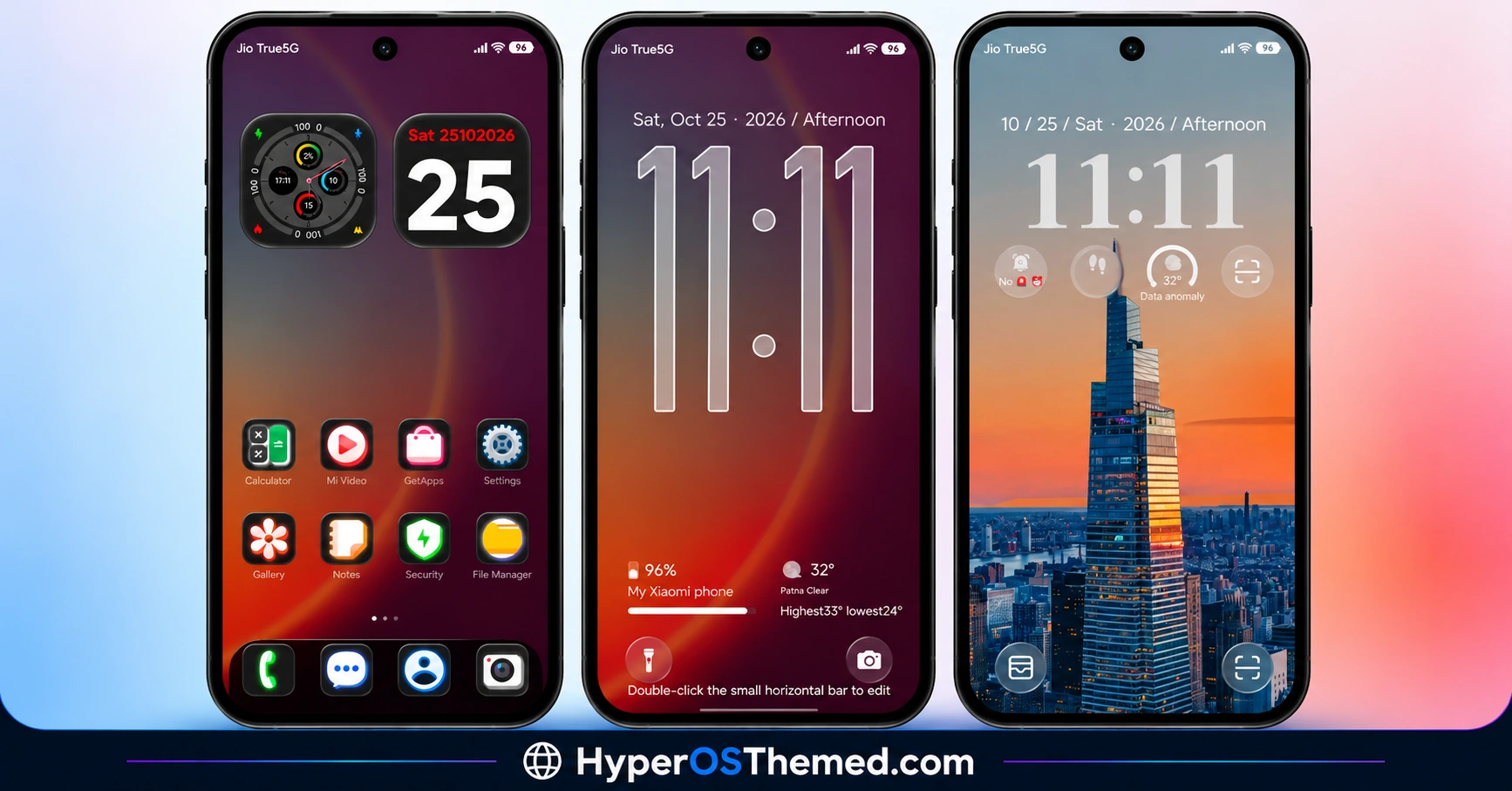
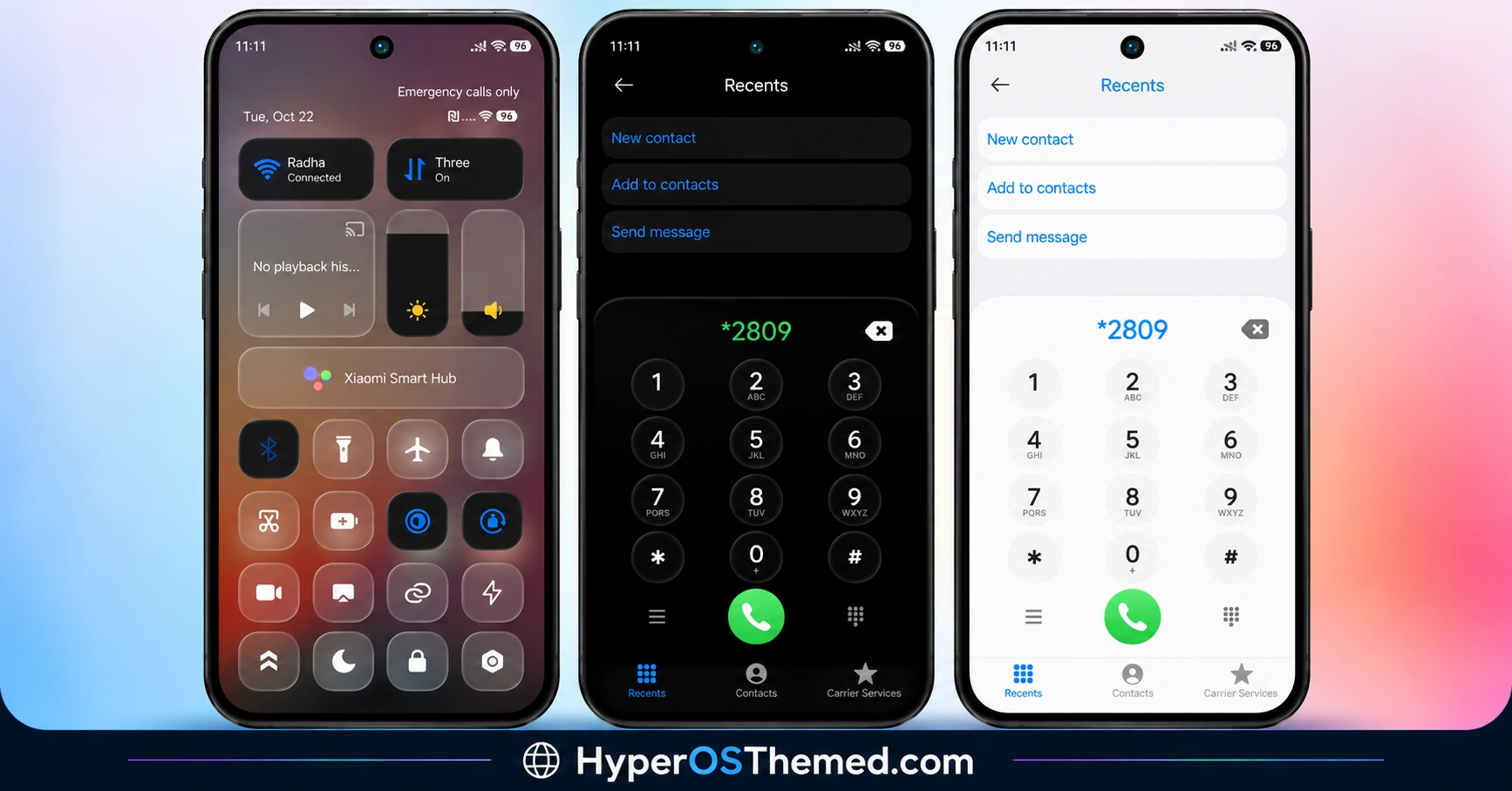
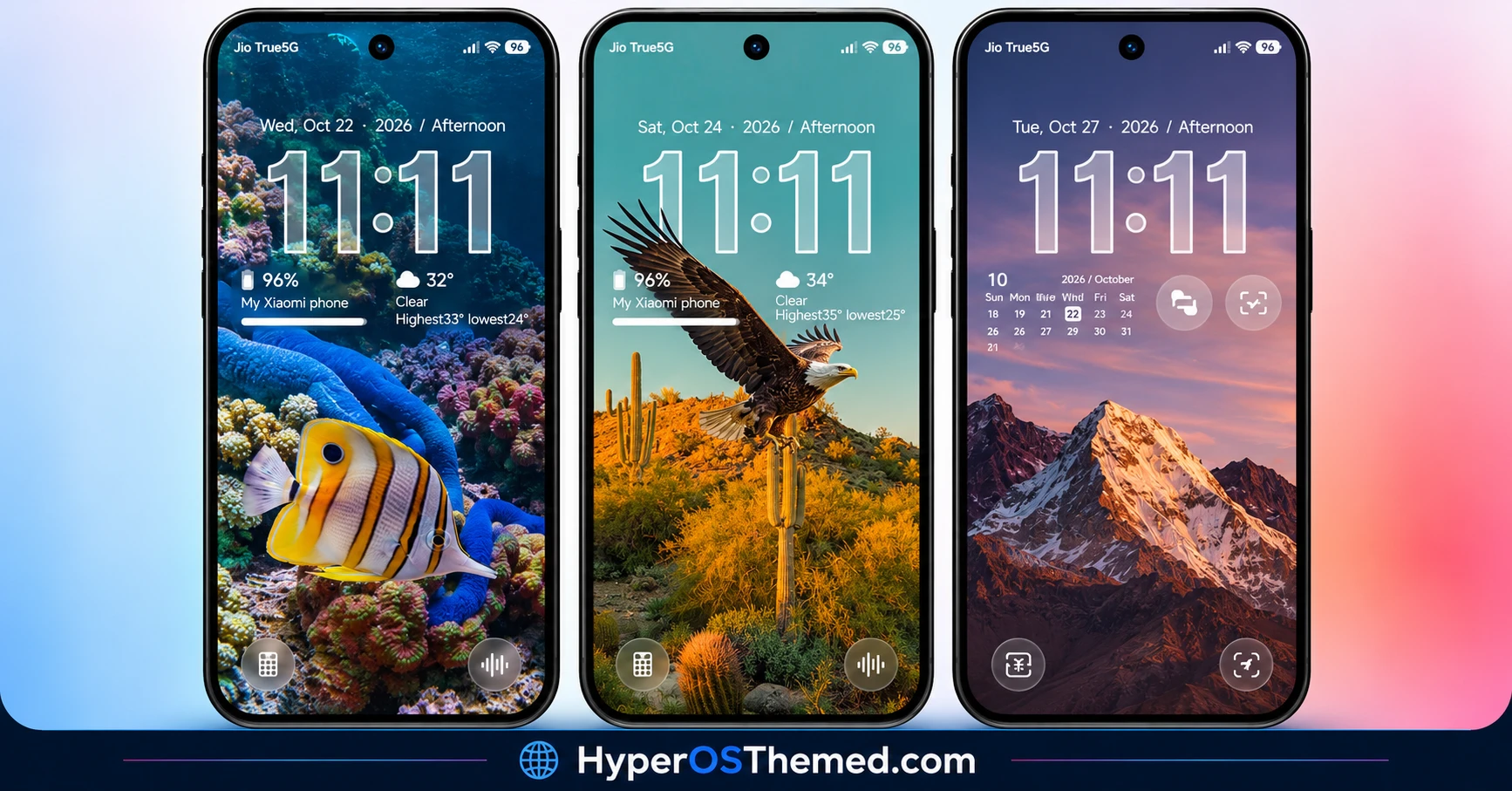
Its city, nature and ocean wallpaper options provide variety, while the dark icons and dialer extend the styling beyond the lock screen. The One UI-inspired approach may appeal to users who want a different interface aesthetic on their Xiaomi, Redmi or POCO device.
sk dark Theme Overview
| Detail | Information |
|---|---|
| Theme Name | sk dark |
| Designer / Modifier | suhel |
| Original Creator | Asazuki |
| Availability | Official Theme Store |
| Region | Global |
| Supported Devices | Xiaomi, Redmi and POCO |
| Compatibility | HyperOS, HyperOS 2 and HyperOS 3 |
| Main Features | Dark styling, wallpapers, One UI-inspired design, customisation and dynamic lock screen |
| File Size | 32.27 MB |
| Price | Free |
Get sk dark HyperOS Theme
Copyright notice: Respect the original designer’s work. The source specifically credits Asazuki and asks users to follow the creator and respect their work. Do not redistribute, modify or re-upload the theme without the relevant permission. Downloading a theme for personal use does not automatically grant permission to republish or claim ownership of it.
The theme credits Asazuki as the original creator and identifies suhel as the modifier. The original creator’s Telegram channel is available at https://t.me/themesmtz
sk dark HyperOS Theme Compatibility
The theme is compatible with HyperOS, HyperOS 2 and HyperOS 3 on Xiaomi, Redmi and POCO smartphones. Actual compatibility may vary with the device, system version and Themes app. Before applying the theme, check the listing on your phone.
How to Install sk dark on Global Stable ROM
If your Xiaomi, Redmi or POCO smartphone runs a compatible Global Stable ROM, follow these steps to apply sk dark through the official Xiaomi Theme Store.
- Click the OFFICIAL THEME STORE LINK button above using your phone.
- When prompted to choose an application, select the Themes app to open the link.
- If the link opens in a browser, open the browser menu and select Open in app, if available.
- Tap Download and wait for the download to finish.
- Tap Apply to activate the theme on your device.
Note: If the link opens in a browser instead, check whether the browser allows links to open in system applications. Restart your phone if you encounter display issues after applying the theme. If the problem persists, leave a comment describing your device and HyperOS version so others can help troubleshoot it.
Why Choose sk dark?
- Dark visual style: A darker interface for users who prefer this aesthetic.
- Flexible clock designs: Glass, outline and bold styles offer different lock-screen appearances.
- Varied wallpapers: City, nature and ocean imagery provide visual variety.
- One UI-inspired styling: An alternative design direction for Xiaomi devices.
- Manual installation option: The MTZ package can be imported on compatible Custom ROMs.
Conclusion
The sk dark HyperOS Theme by suhel, with credit to Asazuki, combines dark icons, custom clock styles and One UI-inspired interface elements. Its city, nature and ocean wallpapers provide several options for changing the phone’s appearance, while the dark dialer and system styling extend the design across the interface.
The theme is listed for HyperOS, HyperOS 2 and HyperOS 3, with a 32.27 MB MTZ package available for compatible devices. Check compatibility before installation and respect the original creator’s copyright when sharing or using the theme.
You may also like:
S4u24 HyperOS Theme with Custom Lock Screen, Redesigned Icons and Control Centre
LINEA HyperOS Theme with Transparent Clock, Glass Icons and Dynamic Wallpapers
OX G6 HyperOS Theme with iOS-Style Glass UI for Xiaomi, Redmi & POCO
