
VK 26 HyperOS Theme is designed by VK, built for Xiaomi, Redmi, and Poco devices running HyperOS 2 and HyperOS 3. It applies a clean, minimal visual style across the entire system rather than limiting changes to the home screen and icons alone.
The theme covers the Settings app, notification panel, Control Center, dialer, and messaging UI, aiming to keep the interface visually consistent no matter which part of the system you’re in. It leans toward a professional, distraction-free look instead of heavy colors or decorative effects.
VK 26 HyperOS Theme Key Features
1. System Wide UI Customization: Changes apply across the Settings app, notification panel, Control Center, dialer, messaging UI, and other system apps. This keeps the visual style consistent instead of limiting the redesign to the home screen and icons.
2. Redesigned Icon Pack: Icons follow a minimalistic shape language with a balanced color palette that stays legible in both light and dark modes. The redesign sticks close to HyperOS design guidelines rather than introducing a completely different visual style.
3. Enhanced Status Bar and Control Center: The status bar and quick settings panel get cleaner toggle designs with improved spacing between elements. Icons and text in the Control Center are easier to read compared to the tighter default HyperOS layout.
4. Lock Screen Improvements: The lock screen uses a simplified layout that keeps the time and notifications clearly visible without visual clutter. Font choices are adjusted for better readability rather than prioritizing decorative styling.
5. Refined Settings Interface: The Settings menu groups options more clearly, with consistent spacing and typography throughout. This makes locating a specific toggle faster compared to the denser stock layout.
6. Smooth Animations: Animations throughout the theme are kept subtle, improving visual fluidity without adding noticeable lag or affecting system responsiveness. The focus stays on smoothness rather than adding decorative motion effects.
VK 26 HyperOS Theme Preview
The visual style favors balanced contrast, consistent typography, and clean spacing over bold colors or heavy effects. Light and dark modes both maintain the same understated look, giving the interface a professional, clutter-free appearance throughout.
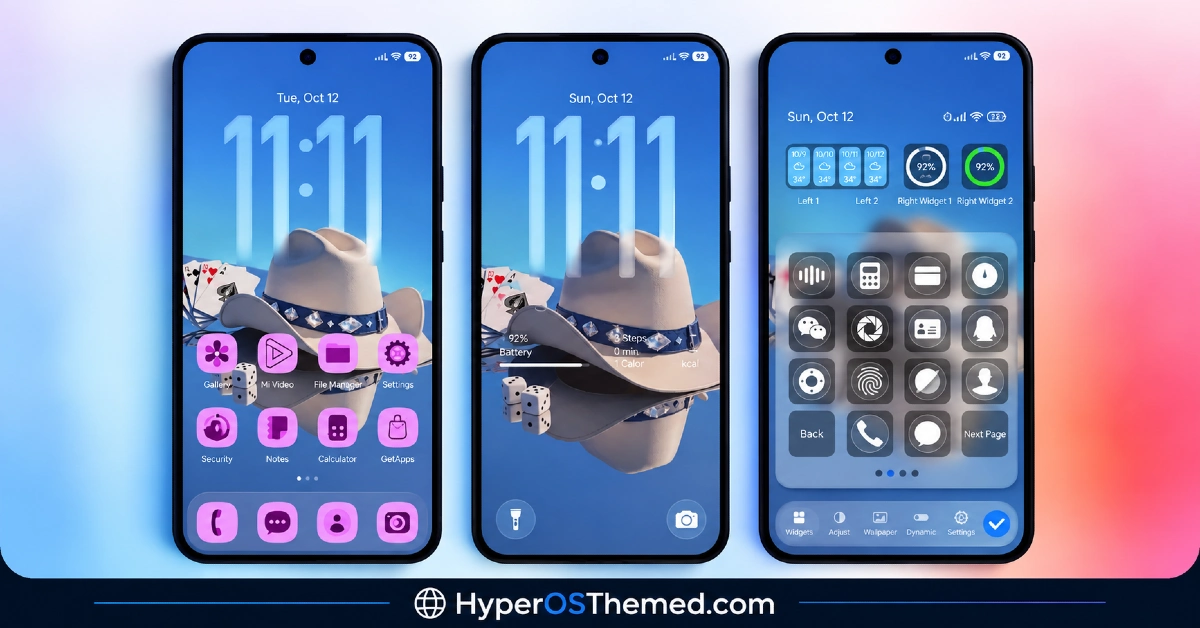
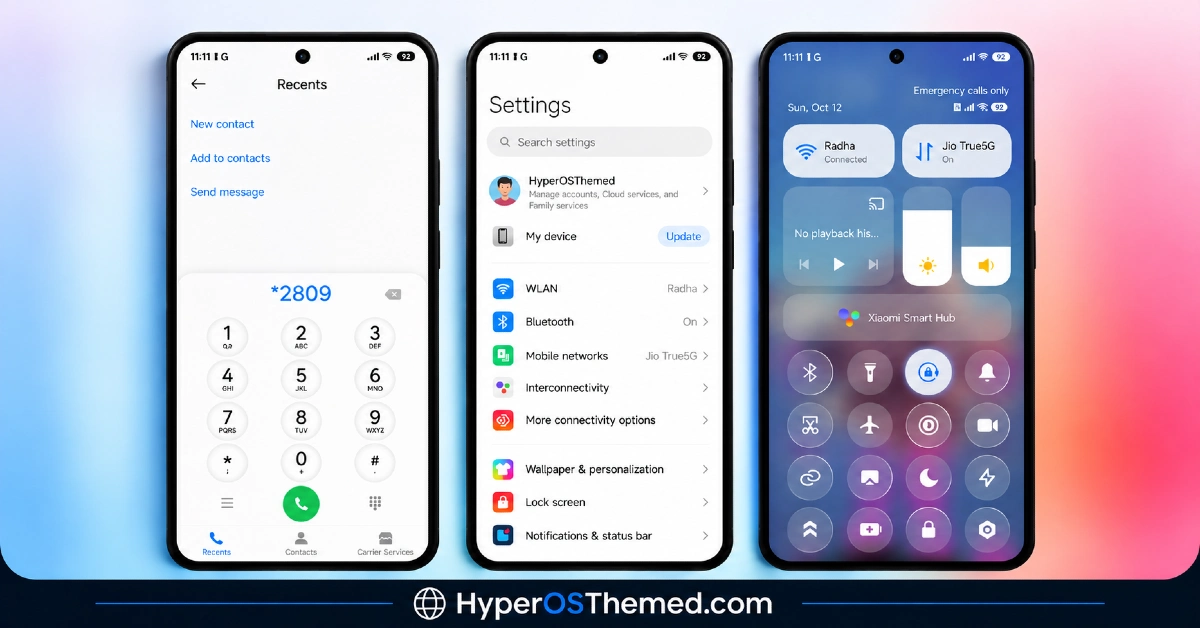
VK 26 HyperOS Theme Overview
| Attribute | Details |
|---|---|
| Availability | Free, via Xiaomi Theme Store |
| Supported Devices | Xiaomi, Redmi and POCO phones running HyperOS |
| Theme Name | VK 26 |
| Designer | VK |
| Region | Global |
| Compatibility OS | HyperOS 2 & HyperOS 3 |
| Features | System-wide UI customization, redesigned icon pack, enhanced Control Center, lock screen improvements, refined settings interface, smooth animations |
| File Size | Varies by device |
Get VK 26 HyperOS Theme
VK 26 can be downloaded directly through the official Xiaomi Theme Store link provided above. Sticking to the official store link keeps the icon pack, Control Center changes, and lock screen elements installing correctly, which is not always guaranteed with theme files from unofficial sources.
VK 26 HyperOS Theme Compatibility
VK 26 is compatible with Xiaomi, Redmi, and Poco devices running HyperOS 2, which is based on Android 14, as well as HyperOS 3, which is rolling out on Android 15 and 16 based builds. The theme has been tested to run smoothly on both mid-range and flagship devices without noticeable battery drain or background scripts.
Some UI elements may still appear slightly different depending on the exact device model and system version installed, and theme availability can vary by region since Xiaomi does not roll out every listing to every market at once.
How to Apply VK 26 HyperOS Theme
- Open the Theme Store link given above on your Xiaomi, Redmi, or Poco device.
- This will redirect you to the Theme Store.
- Download and install the theme.
- Tap on Apply.
- Customize specific elements such as icons, lock screen, or status bar if needed.
- Reboot your device if you notice any display inconsistencies, though this step is optional.
Why Choose VK 26 HyperOS Theme?
- System wide consistency – visual changes extend across Settings, Control Center, dialer, and messaging rather than stopping at the home screen.
- Minimal icon design – balanced shapes and colors that stay readable in both light and dark modes.
- Cleaner Control Center – improved toggle spacing makes the quick settings panel easier to read and use.
- No root or third-party tools required – installs directly through the official Theme Store.
- Stable performance – no background scripts or noticeable battery drain across mid-range and flagship devices.
- Broad HyperOS compatibility – works across both HyperOS 2 and HyperOS 3 builds.
- Refined settings navigation – clearer grouping and typography make specific toggles faster to find.
- Free official download – available through the Xiaomi Theme Store at no extra cost.
Conclusion
VK 26 HyperOS Theme focuses on consistency rather than standout visual effects, applying the same clean, minimal look across the Settings app, Control Center, lock screen, and messaging UI. Its icon pack and Control Center refinements are the most noticeable changes for daily use, while the lock screen and settings menu updates address smaller usability points.
Performance stays stable across both mid-range and flagship devices, with no reported battery drain or background scripts. Compatibility across HyperOS 2 and HyperOS 3 makes it accessible to a wide range of Xiaomi, Redmi, and Poco users. For anyone who wants a clutter-free, professional looking HyperOS interface without a steep customization curve, VK 26 HyperOS Theme is a dependable option through the official Theme Store.
Also Check These Themes:
