
I mentioned in an earlier post that GARC7A’s first HyperOS theme genuinely impressed me, and now here’s a second one from the same designer that’s worth talking about too. GODKING7 takes a different direction from their previous release, trading the bold gradient look for something moodier and more restrained, and it works just as well.
First Impressions of GODKING7 HyperOS Theme
Where the earlier release leaned into bright purples and blues, GODKING7 goes dark. Black icons, a deep blue undertone running through the interface, and an overall low light aesthetic that feels calm rather than flashy. It’s the kind of theme that suits someone who wants their phone to look sharp without constantly drawing attention to itself.
The icon redesign is clean and consistent throughout, nothing feels like it was rushed or left half finished. Combined with the fresh wallpapers and a reworked status bar, the whole interface has a cohesive dark aesthetic that carries from the lock screen right through to your everyday apps.
The Always-on Display styling matches that same dark, minimal tone too, so even when your phone is idle, it still looks intentional rather than like an afterthought slapped on top of the rest of the theme.
GODKING7 HyperOS Theme Preview
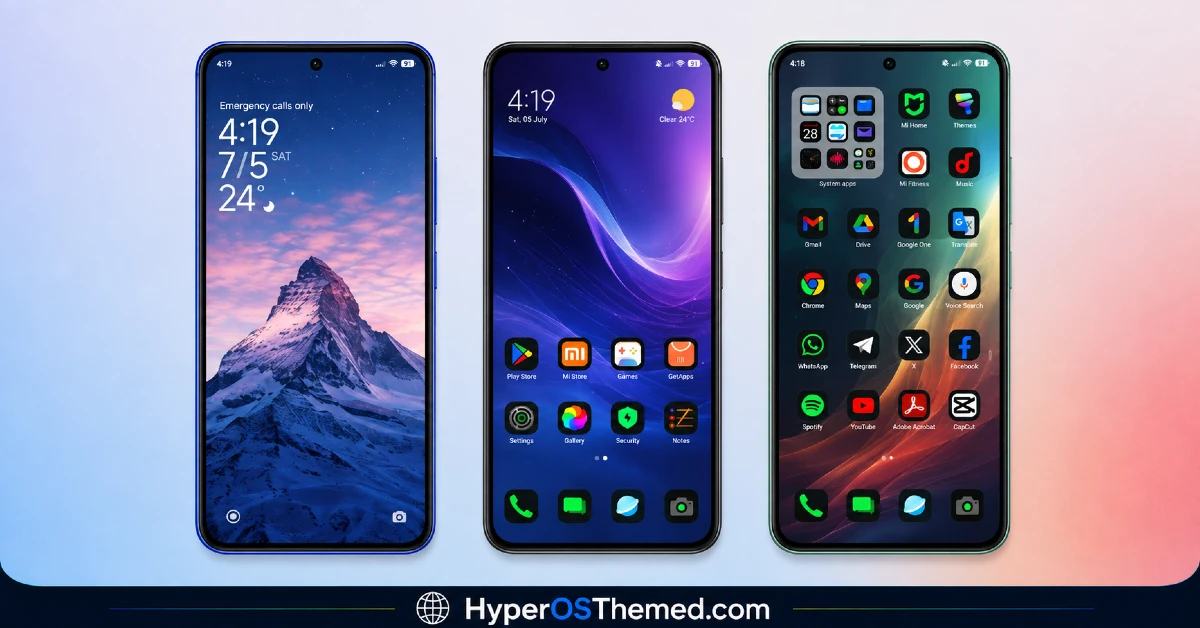
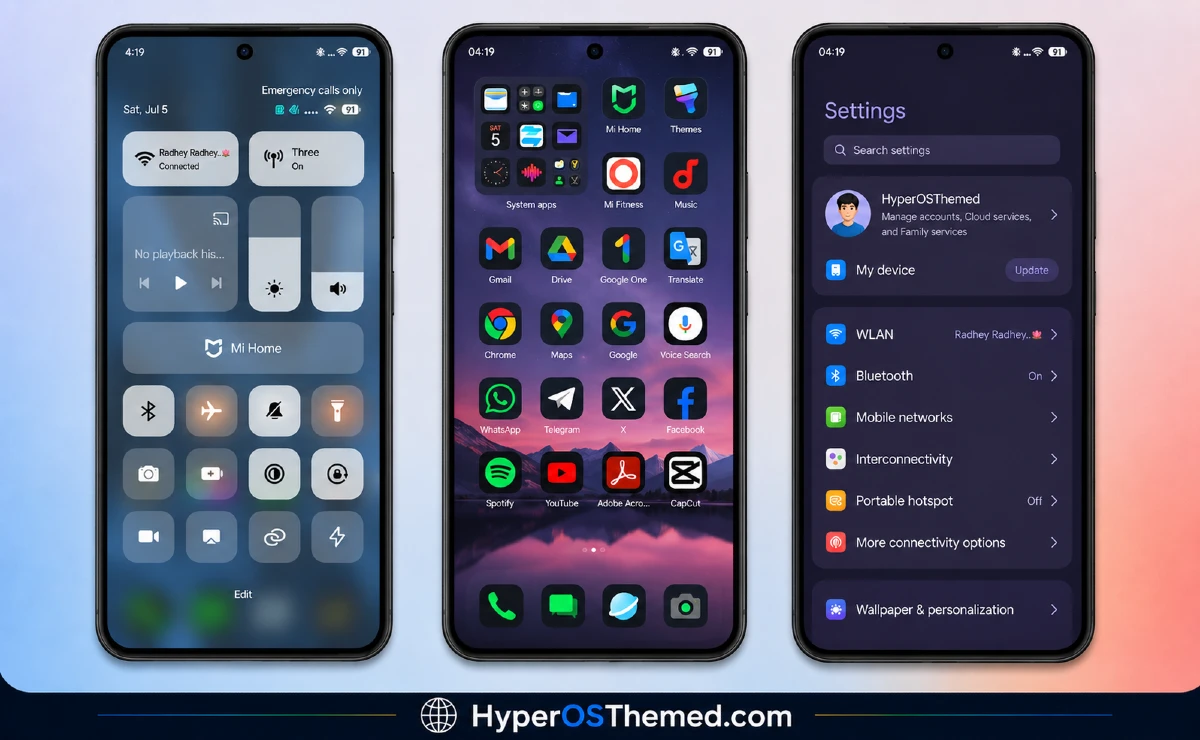
Why GODKING7 HyperOS Theme Is Worth Trying
If GOD7V2 was about making a statement with color, GODKING7 feels like the quieter counterpart, proof that this designer can handle more than one mood convincingly. For a second release, the polish here is genuinely solid, consistent icon work, a clean dark palette, and none of the rough edges you might expect from someone still early in their theming journey.
It’s free, it’s built specifically for HyperOS, and it works across Xiaomi, Redmi, and POCO devices, so most readers here should be able to try it without any compatibility concerns.
GODKING7 HyperOS Theme Details
| Detail | Info |
|---|---|
| Theme Name | GODKING7 |
| File Size | 11.03 MB |
| Designer | GARC7A |
| Region/Server | Global |
| Compatibility | HyperOS |
| Features | Dark UI, Black Icons, Blue Tones |
Getting the Theme
Installing on Global Stable ROM
If your device is running the standard HyperOS or MIUI Global stable build, here’s how to install it:
- Open this page using the Firefox browser, since it handles the redirect best.
- Tap the Official Theme Store Link above.
- The page will open in Chinese, which is expected. Tap the three dots in the top right corner and select “Open in app.”
- This opens the Theme Store app, where the download will begin.
- Once it’s downloaded, tap Apply.
Note: on MIUI 14, follow this video guide instead for installation.
If the Official Theme Store Link doesn’t open properly, switch to Chrome or your phone’s default browser. Some third party browsers don’t handle this redirect correctly.
One thing worth remembering: restart your device if anything looks slightly off after applying. A quick reboot usually clears it up right away. I tested this theme myself, and it ran without any problems.
Final Thoughts
GODKING7 shows a different side of what GARC7A can do, trading bold color for a calm, dark aesthetic that’s just as well executed. If a clean, moody dark theme sounds like more your style, this one deserves a spot on your phone. Give it a try and let me know how it looks on your device.
You May Also Like:
- Shadowed Gleam MIUI Theme Best for POCO, Redmi and Xiaomi Phones
- Best Cyberpunk Anime Theme For MIUI & HyperOS
- Wonderful Mix v15 Theme Xiaomi For HyperOS And MIUI
- Best iOS Style HyperOS theme Black for POCO, Xiaomi and Redmi Devices
- Best HyperOS 3.0 Theme AS Neon Dark Mode For POCO, Xiaomi and Redmi Devices
