
Shadowed Gleam MIUI Theme: Not every theme needs flashy colors or bold gradients to stand out. Sometimes the quieter, darker ones end up being the most interesting once you actually start using them, and that’s exactly how I felt about Shadowed Gleam. It doesn’t shout for attention, but the more I explored it, the more small details I found worth talking about.
What Sets This One Apart
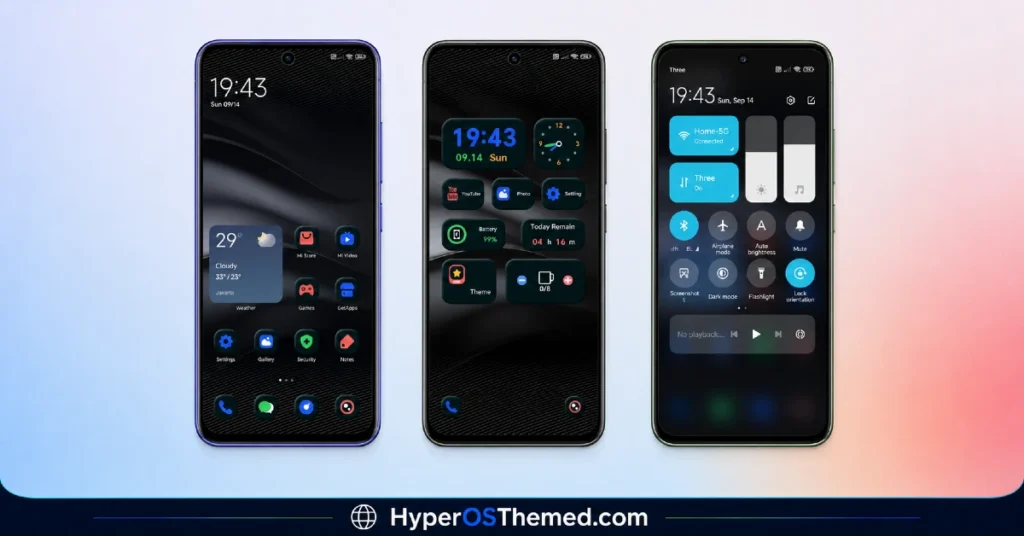
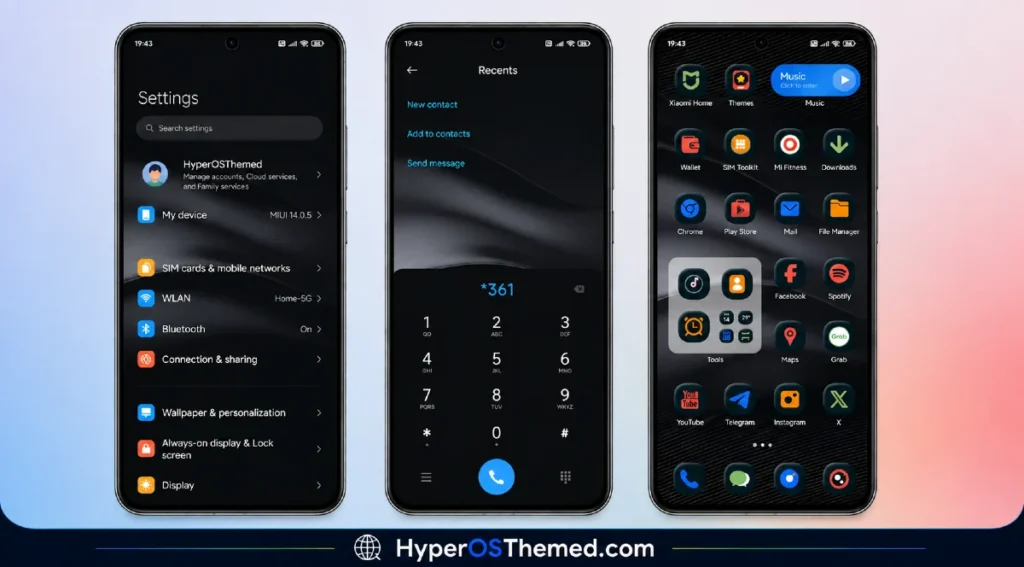
At first glance, Shadowed Gleam looks like a fairly standard Dark theme: black icons, a moody UI, the usual dark mode setup you’d expect. But once you start actually using your phone with it applied, a couple of extra touches show up that most themes skip entirely.
There’s a screen opening effect built into this one, so unlocking your phone isn’t just an instant jump to the home screen, there’s a small transition that makes the whole experience feel a bit more deliberate. On top of that, tapping a shortcut key icon takes you straight into the related app, which is a nice little shortcut for anyone who wants quicker access without digging through folders.
The one detail that genuinely surprised me was the water drink check in display. It’s not something you see in many themes, a small reminder or tracker built right into the interface to nudge you toward staying hydrated throughout the day. It’s a strange but oddly welcome addition, the kind of feature that makes a theme feel like it was designed with actual daily use in mind, not just visuals.
Beyond those extras, the fundamentals are solid too. The icon set is clean and consistently dark, the lock screen has its own dynamic quality instead of sitting static, and the overall UI redesign carries through the interface without feeling patchy.
Shadowed Gleam MIUI Theme Preview
Who This Theme Is For
If you’re someone who prefers dark interfaces and appreciates a theme that goes a little further than just changing colors, Shadowed Gleam is a good option to try. It’s compatible with MIUI 12, 13, and 14, so a good range of Xiaomi, Redmi, and POCO users should be able to install it without any compatibility issues.
Unlocking is kept simple too, just the standard slide to unlock, so there’s no learning curve involved beyond enjoying the design itself.
Shadowed Gleam MIUI Theme Details
| Detail | Info |
|---|---|
| Theme Name | Shadowed Gleam |
| File Size | 11.05 MB |
| Designer | moscreen |
| Region/Server | Global |
| Compatibility | MIUI 14, MIUI 13, MIUI 12 |
| Features | Dynamic Lock Screen, Dark UI, Black Icons, Screen Opening Effect, Water Reminder Display |
| Unlock Method | Slide to Unlock |
Getting the Theme
Installing on Global Stable ROM
If your device is running the standard HyperOS or MIUI Global stable build, here’s how to install it:
- Open this page using the Firefox browser, since it handles the redirect best.
- Tap the Official Theme Store Link above.
- The page will open in Chinese, which is expected. Tap the three dots in the top right corner and select “Open in app.“
- This opens the Theme Store app, where the download will begin.
- Once it’s downloaded, tap Apply.
If the Official Theme Store Link doesn’t open properly, switch to Chrome or your phone’s default browser. Some third-party browsers don’t handle this redirect correctly.
One thing worth remembering: restart your device if anything looks slightly off after applying. A quick reboot usually clears it up right away. I tested this theme myself, and it worked cleanly with no issues at all.
Final Thoughts
Shadowed Gleam MIUI Theme is a good reminder that a theme doesn’t need loud visuals to be memorable; sometimes it’s the small functional touches, like a screen transition or a hydration reminder, that make a real difference in daily use. If a darker, more thoughtful design sounds like your kind of upgrade, this one’s absolutely worth downloading.
You May Also Like:
- Liuli OS 27 iOS 27 – Style Theme for POCO, Redmi & Xiaomi Devices
- Best iOS Style HyperOS theme Black for POCO, Xiaomi and Redmi Devices
- Wonderful Mix v15 Theme Xiaomi For HyperOS And MIUI
- Best HyperOS 3.0 Theme AS Neon Dark Mode For POCO, Xiaomi and Redmi Devices
- GOD7V2 Theme Xiaomi For HyperOS And MIUI
