
Twilight HyperOS Theme is one of the best themes on the market, designed by Suhel and built for Xiaomi, Redmi, and POCO devices running HyperOS. It replaces the bright default interface with deep purple tones and dark grey backgrounds, giving the system a calmer, low-light-friendly look throughout.
The theme updates core system components including the home screen, Control Center, and settings menu, applying a uniform dark background to built-in apps and system cards while keeping menu navigation fast.
Twilight HyperOS Theme Key Features
1. Custom Icon Pack with Grey Masks: App icons use rounded edges with grey background masks applied to third-party apps that lack native theme support. This keeps unthemed apps from standing out too sharply against the rest of the dark interface.
2. Multiple Minimalist Dark Wallpapers: The theme includes a selection of wallpapers using dark gradient tones rather than a single fixed background. This gives some flexibility in choosing a shade of the purple and grey palette that fits personal preference.
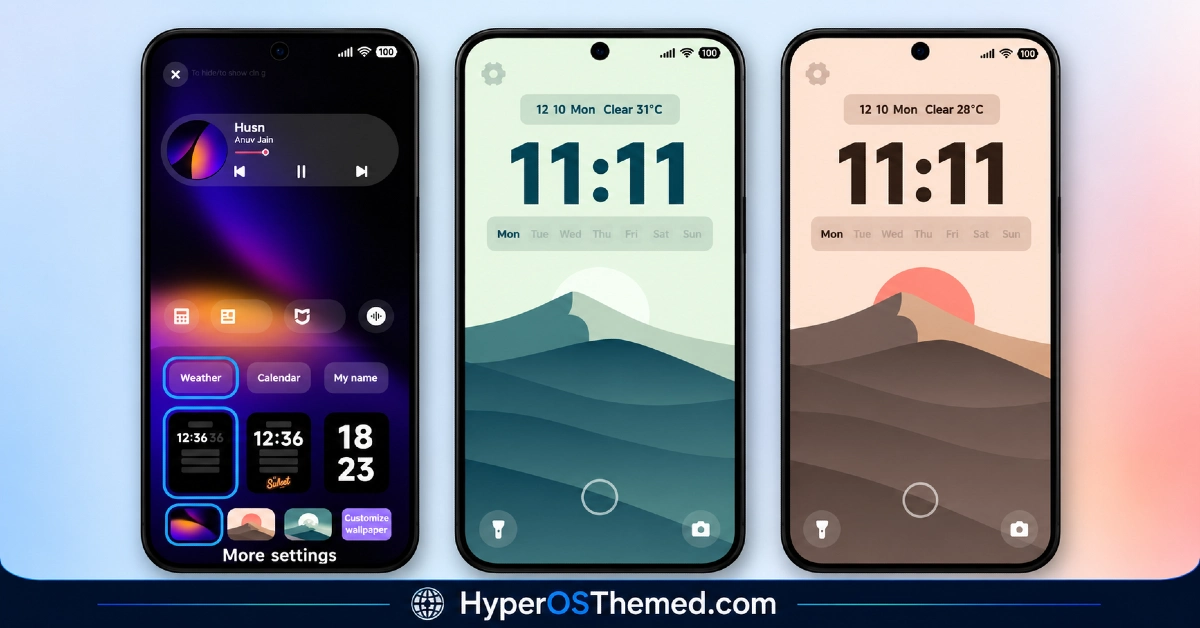
3. Lock Screen Clock and Date Customization: Lock screen settings allow adjustment of clock styles and date text directly within the theme, without needing a separate customization app. This keeps the personalization process contained within the Theme Store itself.
4. Bottom Shortcut Button Placement: Lock screen shortcut buttons can be repositioned at the bottom of the screen for quicker access to frequently used functions. This is handled through the built-in lock screen controls rather than a third-party tool.
5. Updated Status Bar and Toggle Icons: The status bar layout is modified with changed signal icons, paired with clearer Control Center toggle icons. This keeps the top of the screen legible against the darker overall color scheme.
6. Low Resource System Impact: The theme is built to modify the main interface without placing heavy demand on system resources, keeping day-to-day performance unaffected during normal use.
Twilight HyperOS Theme Preview
The visual style relies on deep purple tones paired with dark grey backgrounds across icons, wallpaper, and system cards. High contrast between text and background keeps menus readable, which suits the overall low-light, minimalist design direction of the theme.
Twilight HyperOS Theme Overview
| Attribute | Details |
|---|---|
| Availability | Free, via Xiaomi Theme Store or MTZ file |
| Supported Devices | Xiaomi, Redmi and POCO phones running HyperOS |
| Theme Name | Twilight |
| Designer | Suhel |
| Region | Global |
| Compatibility OS | HyperOS |
| Features | Custom icon pack, minimalist dark wallpapers, lock screen customization, bottom shortcut placement, updated status bar |
| File Size | 13.43 MB |
Get Twilight Theme
You can download Twilight HyperOS Theme directly from the official Xiaomi Theme Store link above, or install it manually using the MTZ file. Using either official source helps avoid icon-rendering issues that can happen with unverified theme files.
Twilight HyperOS Theme Compatibility
Twilight is compatible with Xiaomi, Redmi, and POCO devices running HyperOS, and installs across supported handsets without reported issues.
Minor details such as battery icons or toggle shapes can vary slightly depending on the exact system version installed, so the look may not be pixel-identical across every device. The theme’s small file size keeps installation quick regardless of available storage.
How to Apply Twilight HyperOS Theme
- Open the Theme Store link given above on your Xiaomi, Redmi, or Poco device.
- This will redirect you to the Theme Store.
- Download and install the theme.
- Tap on Apply.
- Customize specific elements such as icons, lock screen clock style, or shortcut placement if needed.
- Reboot your device so all system icons display correctly, as this step is recommended rather than optional for this theme.
Why Choose Twilight HyperOS Theme?
- Deep purple and grey palette – a calmer, low-light-friendly alternative to the bright default HyperOS interface.
- Grey masks for third-party icons – unthemed apps blend in better instead of standing out sharply.
- Built-in lock screen customization – clock style, date text, and shortcut placement adjustable without a separate app.
- Multiple dark wallpaper choices – more than one gradient option instead of a single fixed background.
- High contrast text readability – menus stay easy to read in low-light environments despite the dark theme.
- Low system resource usage – modifies the main interface without affecting day to day performance.
- Small file size – at 13.43 MB, installation stays fast even on storage-limited devices.
- Free official download – available through the Xiaomi Theme Store or a verified MTZ file link.
Conclusion
Twilight HyperOS Theme sticks to a focused idea, a calm, dark purple and grey interface, and carries it consistently across icons, wallpaper, Control Center, and settings menu. Its built-in lock screen customization options stand out for a theme this size, letting users adjust clock style and shortcut placement without extra apps.
The small 13.43 MB file size keeps installation quick, and the design holds up well for low-light readability thanks to its higher text contrast. Minor icon or toggle variations depending on system version are the main caveat worth knowing before installing. For Xiaomi, Redmi, and POCO users who want a dark, minimalist HyperOS theme with real lock screen customization built in, Twilight is a solid free option through the official Theme Store.
Also Check These Themes:
- VKOS HyperOS Theme For Xiaomi, POCO & Redmi
- Flowing Star Trail HyperOS Theme For Xiaomi, Redmi and POCO
- Super Mi Duo HyperOS Theme with iOS-Style Icons, Redesigned Lock Screen
- GIN SAND v2 HyperOS Theme for Xiaomi, POCO, Redmi
- Surge AP27 Pro HyperOS Theme with iOS-Style Depth Effect & Premium Widgets for Xiaomi, POCO, Redmi
