Looking for a HyperOS theme that combines beautiful nature wallpapers with a dark, polished interface? The suhel13 HyperOS Theme brings together colourful scenic backgrounds, black glossy icons and stylish lock screen elements to create a distinctive appearance for Xiaomi, Redmi and POCO smartphones. Modified by suhel, this theme offers a combination of bright landscape photography and darker interface styling.
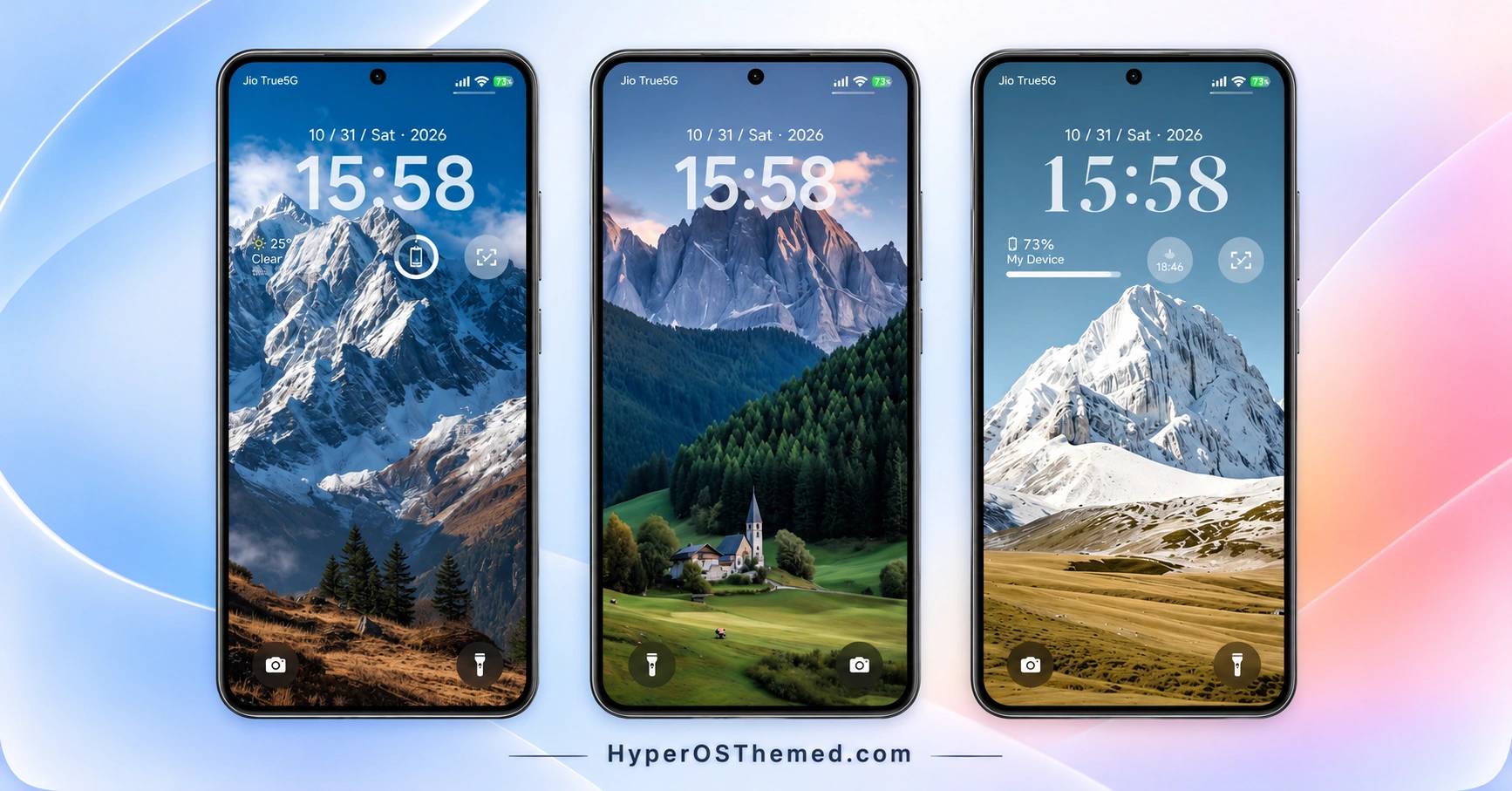
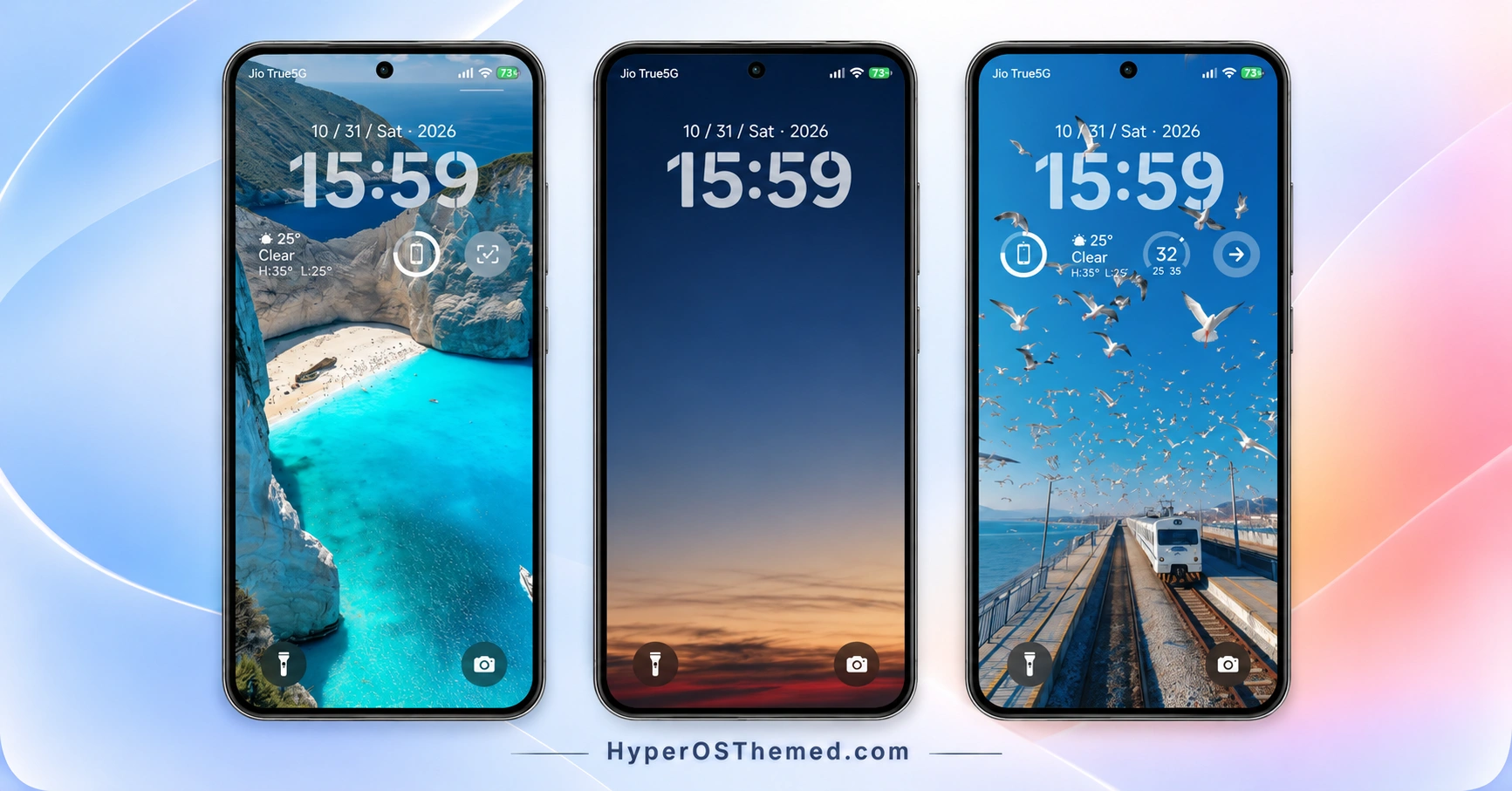
One of its main attractions is the wallpaper collection. It features different scenic backgrounds, including snowy mountains, green valleys, a turquoise beach and flying seagulls. These colourful landscapes give you several options for changing your phone’s appearance, while the black glossy icons provide a contrasting look on the home screen.
The theme also includes stylish lock screen clocks, clean home screen widgets and a frosted Control Centre. These elements complement the wallpaper collection and help maintain a consistent visual style across the interface. The theme is compatible with HyperOS 2.0, HyperOS 3.0 and HyperOS 4.0 on supported Xiaomi, Redmi and POCO devices.
suhel13 HyperOS Theme Key Highlights
Scenic Wallpaper Collection
- Snow-covered mountain landscapes for a cool, atmospheric appearance.
- Green valleys with natural scenery.
- A turquoise beach background with vibrant colours.
- Flying seagulls featured in the scenic wallpaper collection.
- Multiple background choices for personalising the phone.
Black Glossy Icon Pack
- Dark glossy app icons with a polished appearance.
- Black icon styling that contrasts with the colourful wallpapers.
- A coordinated home screen look without overwhelming the background.
Lockscreen and Home Screen
- Stylish lock screen clock designs.
- Clean home screen widgets.
- A layout that complements the scenic wallpapers and dark icons.
Frosted Control Centre
- Frosted-glass styling for the Control Centre.
- A visual design that matches the theme’s dark icons and colourful backgrounds.
suhel13 HyperOS Theme Preview
Explore the suhel13 theme preview to see its scenic wallpapers, black glossy icons, lock screen clock designs and frosted Control Centre. The different backgrounds offer a closer look at how the theme combines colourful landscapes with darker interface elements.
suhel13 Theme Overview
| Detail | Information |
|---|---|
| Theme Name | suhel13 |
| Designer / Modifier | suhel |
| Original Design Credit | Xavierrr |
| Theme Size | 45.66 MB |
| Region | Global |
| Compatibility | HyperOS 2.0, HyperOS 3.0 and HyperOS 4.0 |
| Compatible Devices | Supported Xiaomi, Redmi and POCO smartphones |
| Main Features | Scenic wallpapers, black glossy icons, stylish lock screen clocks, home screen widgets and frosted Control Centre |
| Availability | Xiaomi Themes app, subject to regional availability |
Get suhel13 HyperOS Theme
Click the OFFICIAL THEME STORE LINK button below to view suhel13 in the Xiaomi Themes app and apply it to your compatible device.
suhel13 HyperOS Theme Compatibility
The suhel13 theme is designed for supported Xiaomi, Redmi and POCO smartphones. Its stated compatibility includes HyperOS 2.0, HyperOS 3.0 and HyperOS 4.0, with Global specified as its region.
The appearance of certain elements may vary depending on your phone model and system version. Check compatibility with your device before applying the theme.
Why Choose suhel13 HyperOS Theme?
- Colourful nature wallpapers: Choose between snowy mountains, green valleys, turquoise beaches and seagull scenery.
- Black glossy icons: Add a darker, polished appearance to your home screen.
- Stylish lock screen clocks: Give your lock screen a distinctive look.
- Clean home screen widgets: Keep useful information alongside the scenic backgrounds.
- Frosted Control Centre: Complement the dark icons with a glass-inspired interface.
- Multiple HyperOS versions: Compatibility specified for HyperOS 2.0, HyperOS 3.0 and HyperOS 4.0.
Design Credits
The suhel13 theme is modified by suhel, with all original design credit attributed to Xavierrr. Please respect the original creator’s work and permissions when sharing or redistributing theme resources.
Conclusion
The suhel13 HyperOS Theme combines colourful landscape wallpapers, black glossy icons, stylish lock screen clocks and a frosted Control Centre. Modified by suhel with original design credit to Xavierrr, it offers Xiaomi, Redmi and POCO users a nature-inspired look with darker interface elements.
FAQs
1. Will suhel13 work on my Xiaomi, Redmi or POCO phone?
suhel13 lists compatibility with HyperOS 2.0, HyperOS 3.0 and HyperOS 4.0 on supported Xiaomi, Redmi and POCO phones. Global is its stated region, but availability can vary. Open the theme’s listing in your Xiaomi Themes app to check whether it is available for your device.
2. Does suhel13 make the entire interface black?
The theme combines black glossy icons and darker interface styling with colourful landscape wallpapers. Its previews also show a frosted Control Centre. It is not described as an entirely black theme, and the available details do not confirm dark styling for every app or system screen.
3. What wallpapers are included with suhel13?
The collection includes snowy mountains, green valleys, a turquoise beach and seagull scenery. These give you several nature-inspired backgrounds to choose from alongside the theme’s black glossy icons.
4. How do I download and apply suhel13?
Open the official theme link on your phone and select the Xiaomi Themes app when prompted. Tap Download, wait for the 45.66 MB download to finish, then tap Apply. Check the lock screen, home screen and Control Centre to see whether everything has applied correctly.
5. What should I do if the icons or lock screen don’t display properly?
Restart your phone after applying suhel13, then check again. Some elements may appear differently depending on your device and HyperOS version. If the problem continues, describe the affected elements in the article’s comments and include your phone model and software version.
You may also like:
s4u dark by suhel HyperOS Theme with Black UI for Xiaomi & Redmi
Glossix HyperOS Theme with Dark Glossy Icons and Advanced Lockscreen Customisation
iOS-Inspired OX G5 v2 HyperOS Theme for Xiaomi, Redmi & POCO