
The S4u24 HyperOS Theme by suhel offers a fresh visual style for Xiaomi, Redmi and POCO smartphones running HyperOS 3. It brings together a redesigned interface, custom icons and lock-screen styling to give the phone a different appearance from its default theme.
The theme is listed at approximately 40.9 MB and is designed for HyperOS 3. Before installing it, check the preview images and confirm compatibility with your device.
S4u24 HyperOS Theme Key Highlights
1. Lock Screen and Personalisation
- Custom Lock Screen: The theme is presented as a visual refresh for the lock screen, giving it a different look from the default system design.
- Personalised Appearance: Its overall styling is intended for users who enjoy changing their phone’s appearance through themes.
- Preview Before Applying: The available screenshots let you inspect the theme’s visual design before installing it.
Note: Specific clock styles, depth effects or lock-screen widgets have not been confirmed in the available theme details.
2. Redesigned Icons and System Interface
- Custom Icon Design: S4u24 HyperOS Theme includes a redesigned visual style intended to complement the rest of the theme.
- System-Wide Styling: The theme is presented as a broader interface makeover rather than a wallpaper-only change.
- Updated Appearance: It offers an alternative look for users who want to move away from the standard HyperOS interface.
3. Control Centre and Interface Customisation
- Control Centre Redesign: The theme description highlights a redesigned Control Centre as part of its interface changes.
- Coordinated Design: Its custom styling aims to give the system a more unified appearance.
- HyperOS 3 Compatibility: The theme is listed specifically for HyperOS 3, so users should check their system version before applying it.
S4u24 HyperOS Theme Preview
The S4u24 HyperOS Theme preview gallery includes a few screenshots that let you inspect the theme’s interface before downloading. Reviewing the different screens is useful for checking its visual style and deciding whether it matches your preferences.
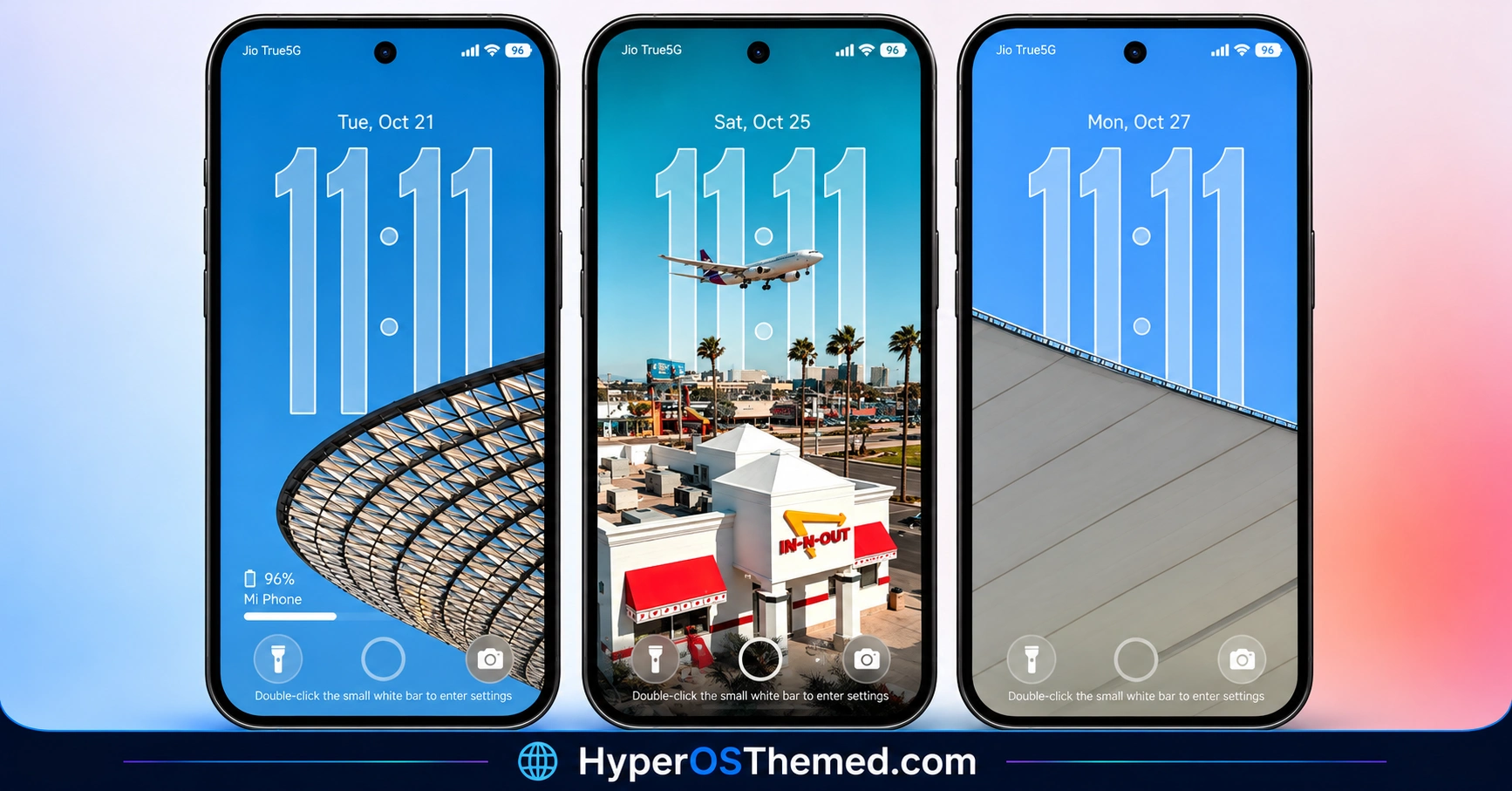
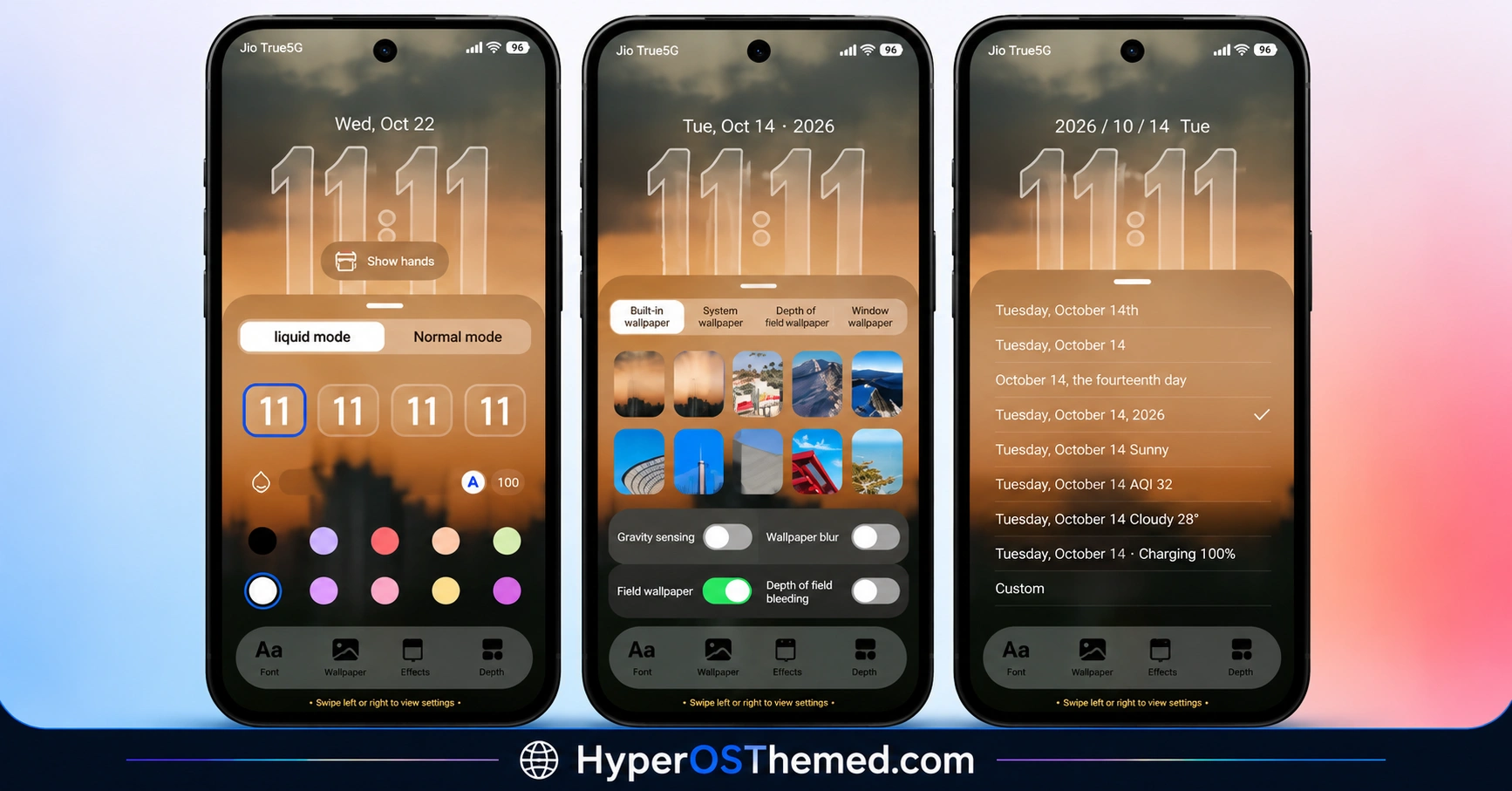
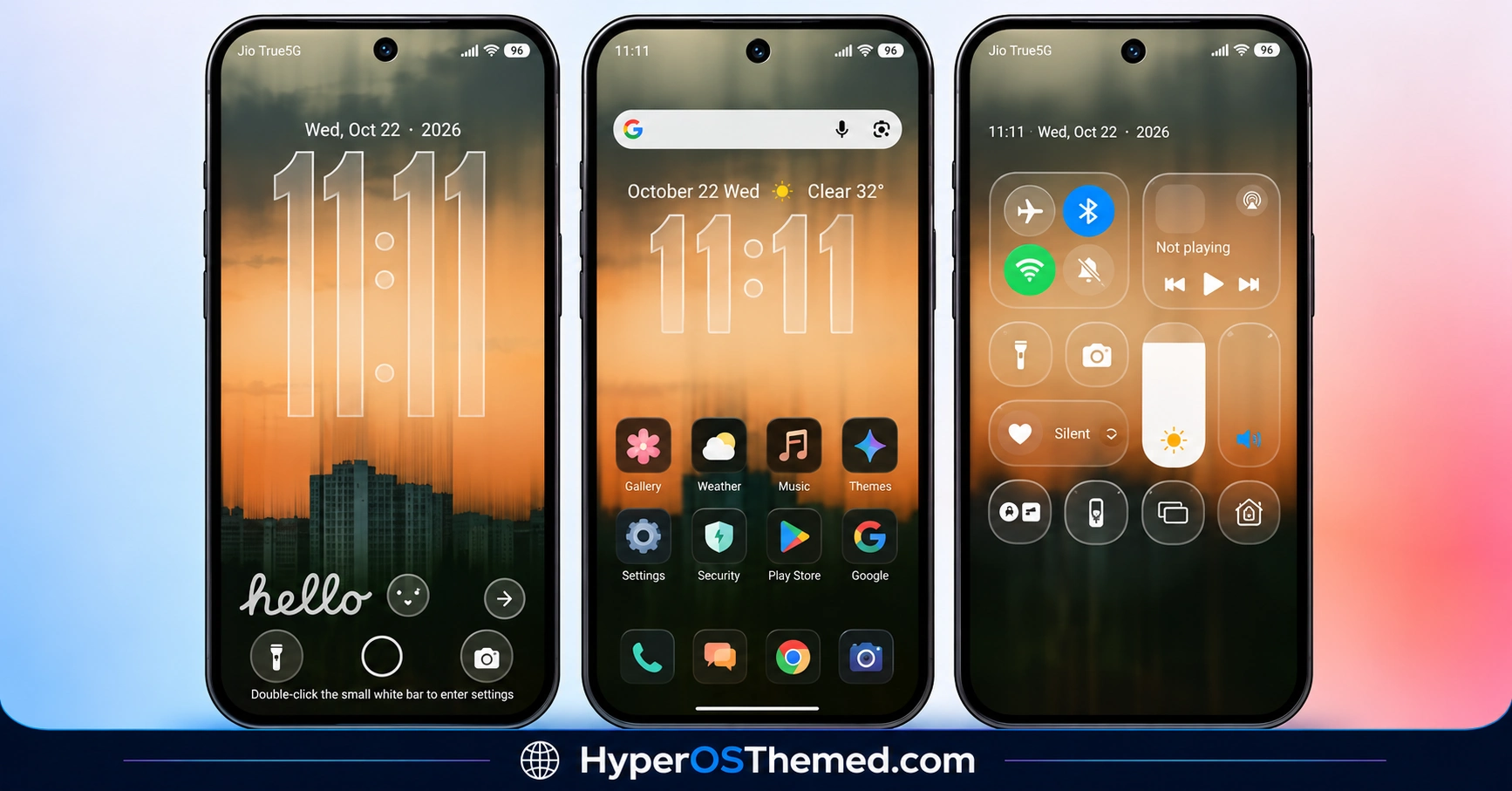
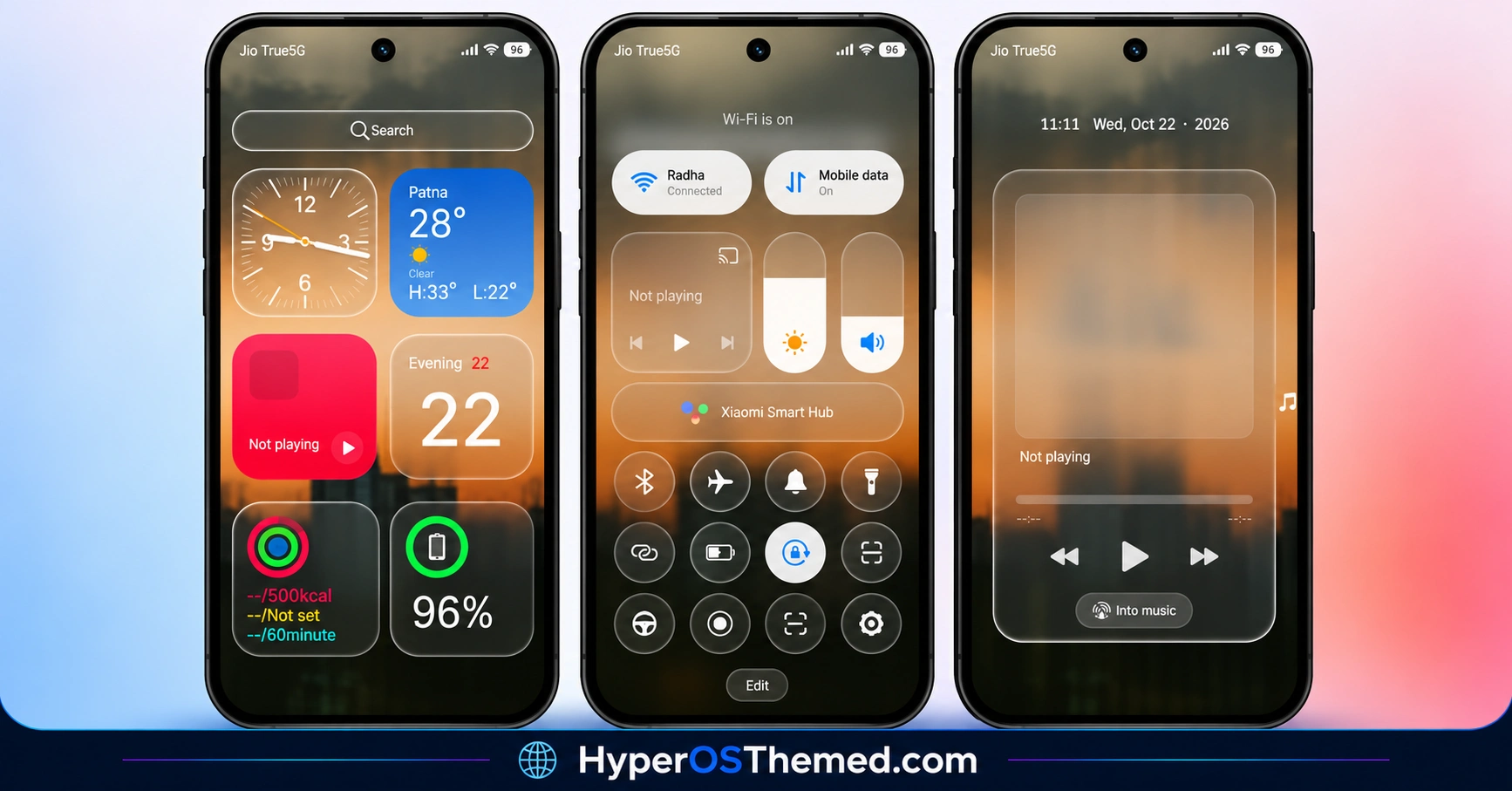
The theme is designed to change the appearance of your device through custom styling rather than relying only on a wallpaper replacement. For the most accurate view of individual elements, refer to the screenshots above.
S4u24 HyperOS Theme Overview
| Detail | Information |
|---|---|
| Theme Name | S4u24 |
| Designer | suhel |
| Availability | Official Theme Store listing |
| Supported Devices | Xiaomi, Redmi and POCO |
| Compatibility | HyperOS 3 |
| Main Features | Custom theme styling, redesigned icons, lock-screen and Control Centre appearance |
| File Size | 40.9 MB |
| Price | Not specified |
Get S4u24 HyperOS Theme
S4u24 HyperOS Theme Compatibility
S4u24 HyperOS Theme Xiaomi is specified for HyperOS 3 on Xiaomi, Redmi and POCO smartphones. Compatibility with HyperOS 1, HyperOS 2 or other versions has not been confirmed.
Individual interface elements may behave differently depending on your device model, system version and Themes app. Check the official theme listing before applying it, especially if your phone uses a modified ROM.
How to Install S4u24 on Global Stable ROM
If your Xiaomi, Redmi or POCO smartphone runs a compatible Global Stable HyperOS 3 ROM, follow these steps to apply S4u24 Xiaomi Theme through the official Xiaomi Theme Store.
- Click the OFFICIAL THEME STORE LINK button above using your phone.
- When prompted to choose an application, select the Themes app to open the link.
- You will be redirected to the theme’s page in the Xiaomi Theme Store.
- Tap Download and wait for the download to finish.
- Tap Apply to activate the theme on your device.
If the link does not open the Themes app, try opening it in another mobile browser or check whether your browser allows links to open in system applications.
Why Choose S4u24 HyperOS Theme?
- HyperOS 3 support: Designed for devices running the specified system version.
- Alternative interface styling: Offers a different look from the default theme.
- Custom icon appearance: Provides a coordinated visual change to the interface.
- Two installation routes: Use the Theme Store where available or import the MTZ package on a compatible Custom ROM.
- Preview gallery: Review the screenshots before deciding whether to install it.
Conclusion
The S4u24 HyperOS Theme by suhel offers Xiaomi, Redmi and POCO users an alternative interface for HyperOS 3. Its custom styling and redesigned icon appearance provide a visual change from the default system theme, while the Control Centre and lock-screen design contribute to the overall makeover.
The 40.9 MB MTZ package also offers manual installation for compatible Custom ROMs. Since compatibility with other HyperOS versions has not been confirmed, check your device details before applying it. If you enjoy exploring new themes, S4u24 is worth previewing before installation.
You may also like:
LINEA HyperOS Theme with Transparent Clock, Glass Icons and Dynamic Wallpapers
OX G6 HyperOS Theme with iOS-Style Glass UI for Xiaomi, Redmi & POCO
