
There’s a specific look that gray-on-gray themes usually fall into: flat, slightly dull, nothing to hold your eye. Hyper Grayish 3 HyperOS Theme avoids that by leaning on neomorphism instead: the soft-sculpted, pressed-in look that makes buttons and widgets appear almost physical rather than drawn. Designer BoZinsky built this one for HyperOS, HyperOS 2.0, and HyperOS 3.0, and it only runs in dark mode, no light variant included.
Hyper Grayish 3 HyperOS Theme shares the same designer and general business-dark approach as Mamba BiZ 3, but where that one leaned into obsidian black with red accents, this one stays in a tighter slate gray range with a more tactile, almost embossed feel to its UI elements.
Hyper Grayish 3 Theme Key Features
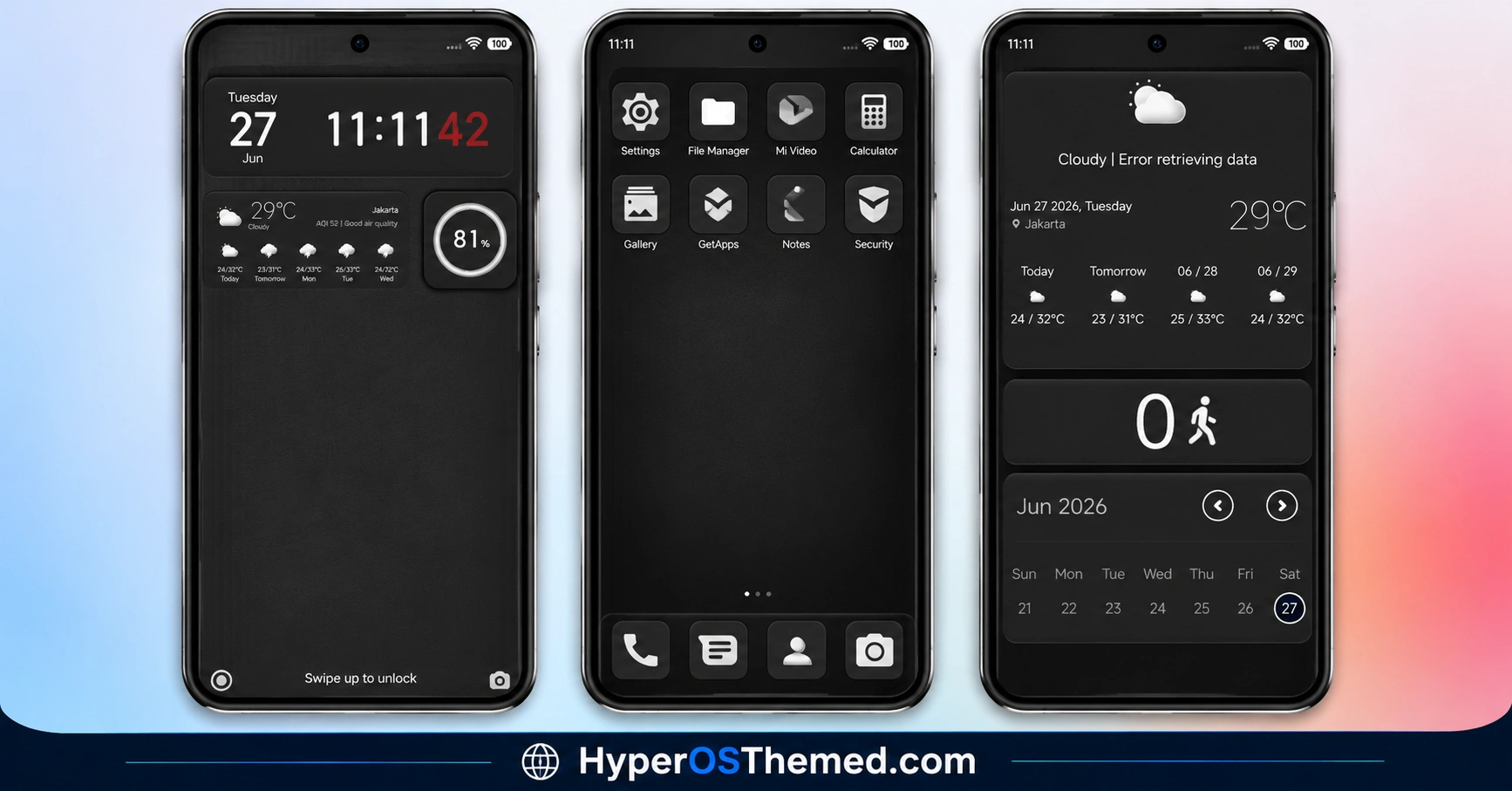
1. Neomorphic Lock Screen Controls: Lock screen elements are styled with a soft-sculpted, embossed look that mimics physical buttons rather than flat icons. The effect depends on light and shadow layering rather than color contrast, which is part of why the theme sticks to dark mode only.
2. Editable Lock Screen Layout: Some lock screen components can be adjusted directly through the Theme Store app rather than staying fixed after installation. This is handled within the app’s theme component settings rather than a separate customization tool.
3. Custom-Molded 3D Icon Set: App icons use a dimensional, sculpted design with drop-shadows cast against the dark slate background. The shadow work is what separates this from a typical flat dark icon pack, giving icons a slight raised appearance.
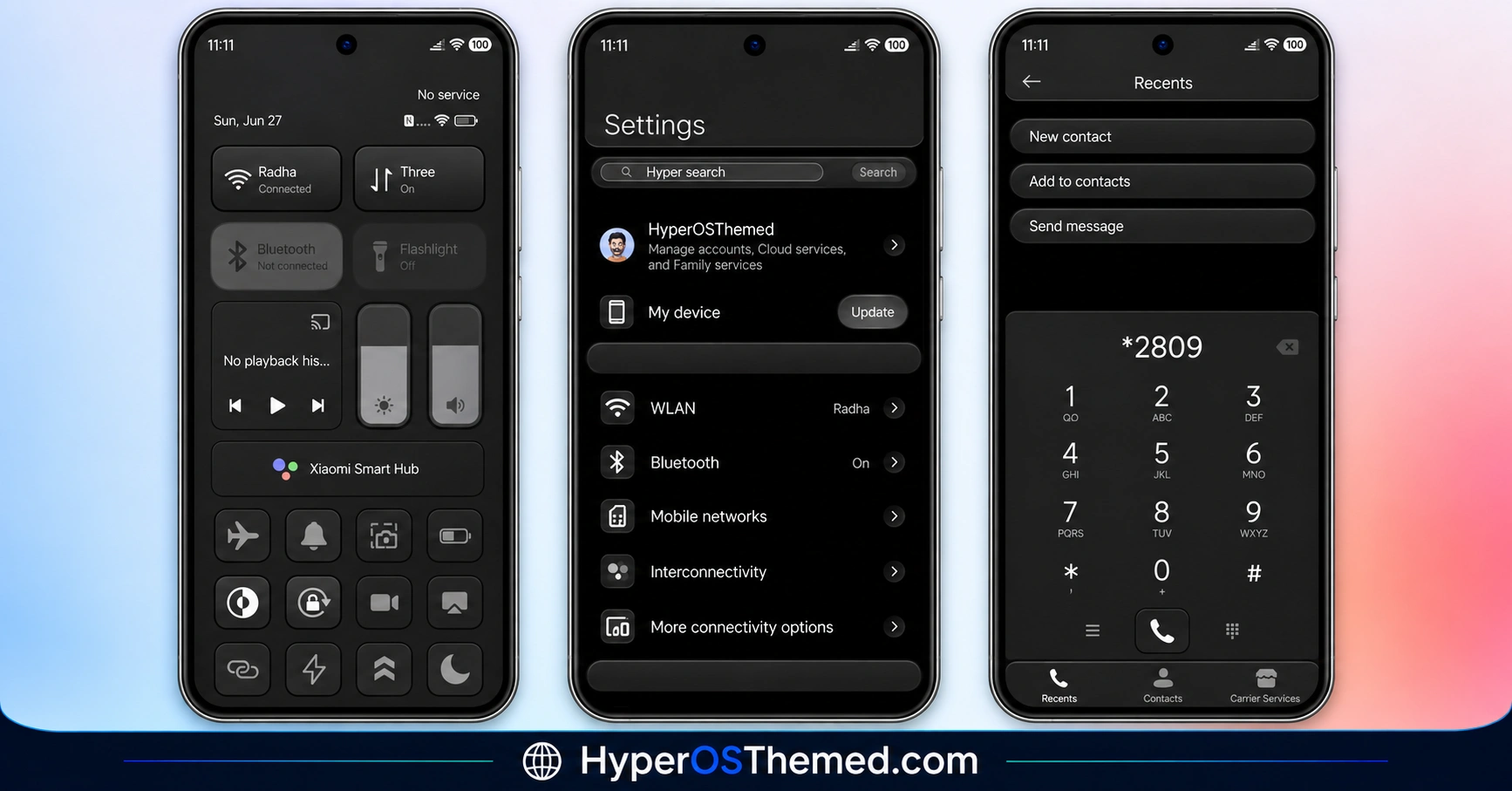
4. Obsidian-Slate Background Tone: The overall backdrop sits in a dark slate gray rather than pure black, giving it a slightly warmer, less stark look than typical AMOLED-black themes. This tone carries through system apps and the Control Center.
5. Translucent Charcoal Control Center: The Control Center panel uses a charcoal, semi-transparent background, keeping the quick settings area visually tied to the rest of the dark, textured interface rather than reverting to a flat default look.
6. Dark-Mode-Only Design: The theme does not include a light mode variant. This is a deliberate limitation tied to how the neomorphic shadow effects are built, since the soft-sculpted look depends on consistent dark lighting to read correctly.
Hyper Grayish 3 HyperOS Theme Preview
Expect a slate gray palette throughout, with icons and lock screen elements rendered in a soft, almost pressed-in 3D style rather than flat color blocks. Shadows do most of the visual work here instead of bright accent colors, giving the whole interface a quieter, more tactile feel than a typical dark theme.
Hyper Grayish 3 HyperOS Theme Overview
| Attribute | Details |
|---|---|
| Availability | Free, via Xiaomi Theme Store or MTZ file |
| Supported Devices | Xiaomi, Redmi and POCO phones running HyperOS |
| Theme Name | Hyper Grayish 3 |
| Designer | BoZinsky |
| Region | Global |
| Compatibility OS | HyperOS, HyperOS 2.0 & HyperOS 3.0 |
| Features | Neomorphic lock screen controls, editable lock screen layout, 3D icon set with drop-shadows, charcoal Control Center, dark-mode-only design |
| File Size | 35.93 MB |
Get Hyper Grayish 3 HyperOS Theme
Grab it through the official Xiaomi Theme Store link for Global stable ROM devices, or use the MTZ file if you’re on a custom ROM like Xiaomi.eu or MIUIRoom. Both routes avoid the shadow rendering glitches that unofficial theme sources sometimes introduce with neomorphic effects like this.
Hyper Grayish 3 HyperOS Theme Compatibility
Hyper Grayish 3 works across Xiaomi, Redmi, and POCO devices on HyperOS, HyperOS 2.0, and HyperOS 3.0. Since it’s dark mode only, there’s no fallback light theme if you switch your system appearance setting, so that’s worth knowing before applying it if you alternate between light and dark throughout the day. A restart after applying is recommended in case any shadow or overlay element doesn’t render correctly on first load.
How to Apply Hyper Grayish 3 HyperOS Theme
- Open the Theme Store link given above on your Xiaomi, Redmi, or Poco device.
- This will redirect you to the Theme Store.
- Download and install the theme.
- Tap on Apply.
- Customize the lock screen layout through the theme components settings if needed.
- Reboot your device in case any element overlaps or fails to render correctly, as this step is recommended rather than optional here.
Why Choose Hyper Grayish 3 HyperOS Theme?
- Neomorphic lock screen design – soft-sculpted controls that look pressed into the screen instead of flat icons.
- 3D icons with real depth – drop-shadow work gives app icons a raised, dimensional look against the slate backdrop.
- Editable lock screen layout – some components can be adjusted through the Theme Store app after install.
- Warmer dark palette – slate gray tone instead of pure black, a slightly softer alternative to typical AMOLED-black themes.
- Consistent charcoal Control Center – quick settings panel matches the rest of the textured, shadow-driven aesthetic.
- Same designer lineage as Mamba BiZ 3 – BoZinsky’s dark business style here, but gray and neomorphic instead of black and red.
- Free official download – available through the Theme Store or a verified MTZ file.
Conclusion
Hyper Grayish 3 HyperOS Theme is a narrower theme than most, it commits to one visual idea, neomorphic gray-on-gray, and doesn’t try to also offer a light mode or bright accent option. That focus is also its main limitation, so it’s worth skipping if you switch between light and dark system modes often.
The shadow-based icon and lock screen design is the most distinct part of the package and genuinely looks different from the usual flat dark themes in the Theme Store.
Compatibility spans HyperOS, HyperOS 2.0, and HyperOS 3.0, so software version isn’t a barrier. For anyone who wants a dark theme with more tactile depth than a flat black reskin, Hyper Grayish 3 is worth the download, as long as you’re fine staying in dark mode permanently.
Also Check These Themes:
- Mamba BiZ 3 HyperOS Theme with Obsidian Business and Translucent Control Center
- Sky Suhel HyperOS Theme with Dynamic Lock Screen for Xiaomi, POCO, Redmi
- Better HyperOS Theme for Xiaomi, POCO, Redmi
- Twilight HyperOS Theme with Minimalist Dark Wallpapers for Xiaomi, Redmi and POCO
- VKOS HyperOS Theme For Xiaomi, POCO & Redmi
- Flowing Star Trail HyperOS Theme For Xiaomi, Redmi and POCO
