
VKOS HyperOS Theme is a Premium theme designed by VK, built for Xiaomi, Redmi, and Poco devices running HyperOS. It combines a gradient wallpaper set with a large custom icon pack, a redesigned Control Center, and a simplified lock screen layout, aiming for a clean, minimal look across the interface.
The theme is built around visual consistency, matching accent colors across icons, wallpaper, and system UI elements rather than treating each part of the interface separately.
VKOS HyperOS Theme Key Features
1. Large Custom Icon Pack: VKOS HyperOS Theme includes several hundred redesigned icons covering system apps and a wide range of third party apps. The icon style stays consistent in shape and spacing, giving the home screen a more uniform look compared to a mix of themed and default icons.
2. Gradient Wallpaper Set: The included wallpapers use a gradient color palette rather than flat or photographic backgrounds. Accent colors in the gradient are matched to the icon pack and system UI, keeping the overall look visually tied together.
3. Redesigned Control Center: The Control Center panel is restyled to match the theme’s gradient palette, changing the appearance of toggles from the default HyperOS quick settings layout. This keeps the pull-down panel visually consistent with the rest of the theme.
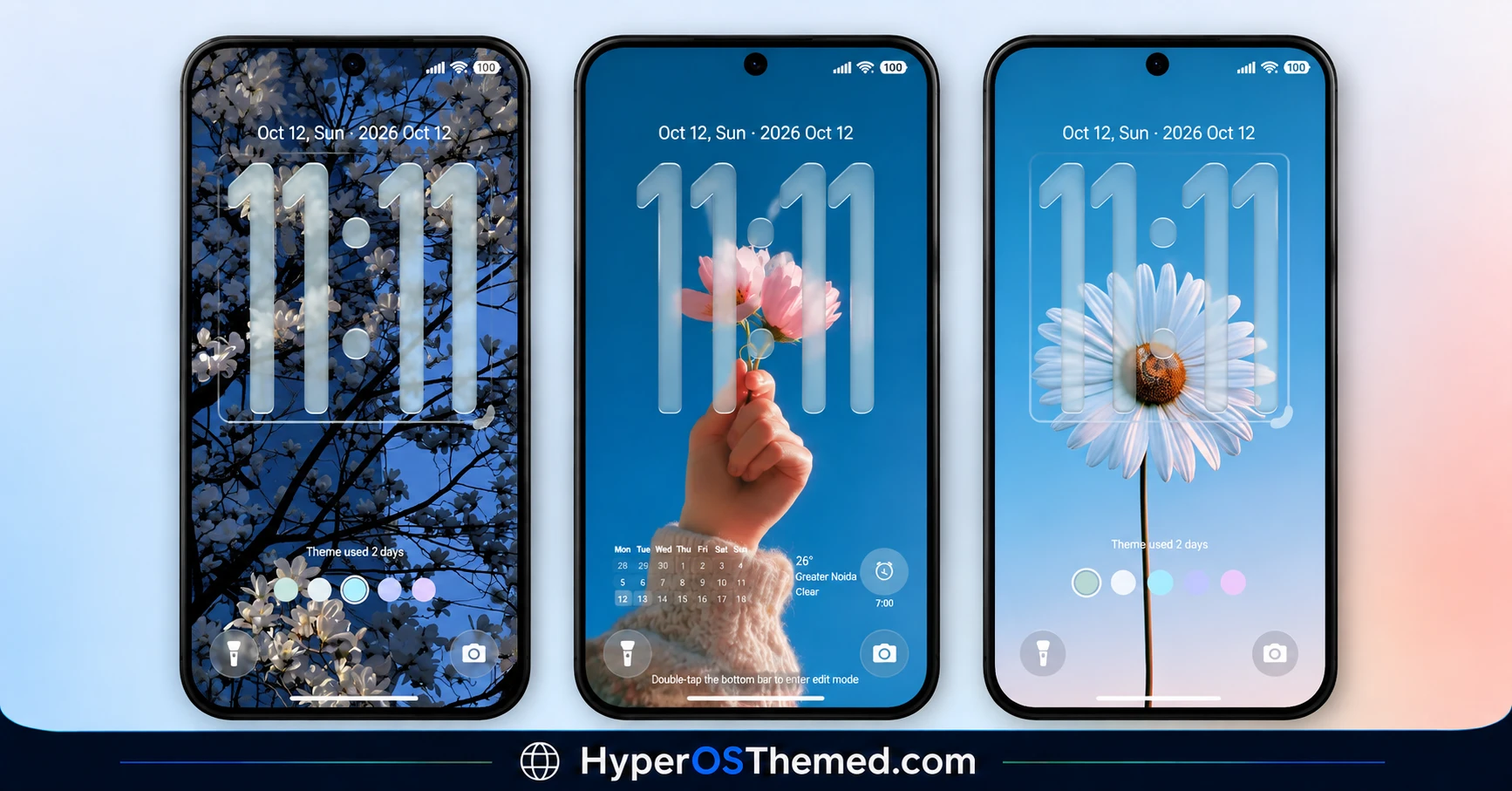
4. Simplified Lock Screen: The lock screen uses a clean, uncluttered layout that keeps the clock and notifications easy to read without extra visual elements competing for attention. This is one of the more noticeable changes after applying the theme.
5. Unified Accent Color System: Accent colors carry through consistently across icons, wallpaper, and UI elements, avoiding the mismatched look that can happen when a theme’s icon pack and system colors don’t align.
6. Universal Device Compatibility: The theme is built to work consistently across Xiaomi, Redmi, and Poco devices running HyperOS, rather than being limited to a specific device line or chipset.
VKOS HyperOS Theme Preview
The visual style centers on a gradient color palette that runs through the wallpaper, icon pack, and Control Center, giving the interface a unified look rather than separate mismatched elements. The overall tone stays clean and minimal, avoiding heavy textures or high contrast colors.
VKOS HyperOS Theme Overview
| Attribute | Details |
|---|---|
| Availability | Free, via Xiaomi Theme Store or MTZ file |
| Supported Devices | Xiaomi, Redmi and POCO phones running HyperOS |
| Theme Name | VKOS |
| Designer | VK |
| Region | Global |
| Compatibility OS | HyperOS |
| Features | Custom icon pack, gradient wallpaper set, redesigned Control Center, simplified lock screen, unified accent colors |
| File Size | 24.29 MB |
Get VKOS HyperOS Theme
VKOS HyperOS Theme can be downloaded directly through the official Xiaomi Theme Store link provided above, or installed manually using the MTZ file. Sticking to either official source helps avoid the lock screen errors or bootloop issues that can occur with unverified theme files.
VKOS Compatibility
VKOS HyperOS Theme is compatible with Xiaomi, Redmi, and Poco devices running HyperOS, and has been tested to install without errors on this build. Since theming behavior can vary slightly across different MIUI and HyperOS versions, some lock screen elements may render differently depending on the exact software version installed, and in rare cases a mismatched version can cause lock screen errors or a bootloop. It is worth checking your current HyperOS version before installing and reporting any issues if the theme behaves unexpectedly on your device.
How to VKOS HyperOS Theme
- Open the Theme Store link given above on your Xiaomi, Redmi, or Poco device.
- This will redirect you to the Theme Store.
- Download and install the theme.
- Tap on Apply.
- Customize specific elements such as icons, lock screen, or wallpaper if needed.
- Reboot your device if you notice any lock screen issues after applying, though this step is optional.
Why Choose VKOS HyperOS Theme?
- Large icon pack – several hundred redesigned icons give the home screen a premium, consistent look.
- Gradient wallpaper palette – accent colors in the wallpaper match the icon pack and system UI.
- Redesigned Control Center – toggle panel restyled to match the theme’s overall gradient look.
- Simplified lock screen – clean layout keeps the clock and notifications easy to read without clutter.
- Unified accent colors – consistent color matching across icons, wallpaper, and UI elements.
- Universal device compatibility – works consistently across Xiaomi, Redmi, and Poco devices on HyperOS.
- MTZ file available – manual installation option if the Theme Store link does not work.
- Free official download – available through the Xiaomi Theme Store or a verified MTZ file link.
Conclusion
VKOS focuses on visual consistency, tying its gradient wallpaper palette, large icon pack, and Control Center redesign together with a matching accent color system rather than treating each element separately. The simplified lock screen is the most noticeable change for daily use, keeping notifications readable without extra clutter.
Since the theme has been tested primarily on HyperOS without issues, it is worth checking your specific software version first, as mismatched versions have occasionally caused lock screen errors with themes like this.
The file size stays moderate at just over 24 MB, keeping installation reasonably quick. For Xiaomi, Redmi, and Poco users who want a clean, gradient-toned interface with a large icon pack, VKOS is a free option worth trying through the official Theme Store.
Also Check These Themes:
- Flowing Star Trail HyperOS Theme For Xiaomi, Redmi and POCO
- Super Mi Duo HyperOS Theme with iOS-Style Icons, Redesigned Lock Screen
- GIN SAND v2 HyperOS Theme for Xiaomi, POCO, Redmi
- Surge AP27 Pro HyperOS Theme with iOS-Style Depth Effect & Premium Widgets for Xiaomi, POCO, Redmi
- Regular-3 HyperOS Theme For Xiaomi, POCO, Redmi
