
I’ve noticed a pattern with certain designers, some chase attention with bold colors and dramatic effects, others quietly build things that just work well day after day. Mydul Islam falls into that second group, and after living with the Mango HOS3 HyperOS theme on my own phone for a while, I get why it’s built such a solid reputation.
Why I Actually Like Mango HOS3 HyperOS Theme
Most themes I test look great in a screenshot and fall apart the moment you actually use your phone for a few hours. Battery drain creeps in, animations start to stutter, or half the system apps get left untouched and stick out awkwardly. Mango HOS3 avoids all of that.
There’s no hidden background activity running that shouldn’t be there, no noticeable hit to battery life, and it holds up just as well on a mid-range Redmi as it does on a flagship Xiaomi. That kind of stability across different hardware isn’t something every theme designer bothers testing for, but it clearly mattered here.
Mango HOS3 HyperOS Theme Features
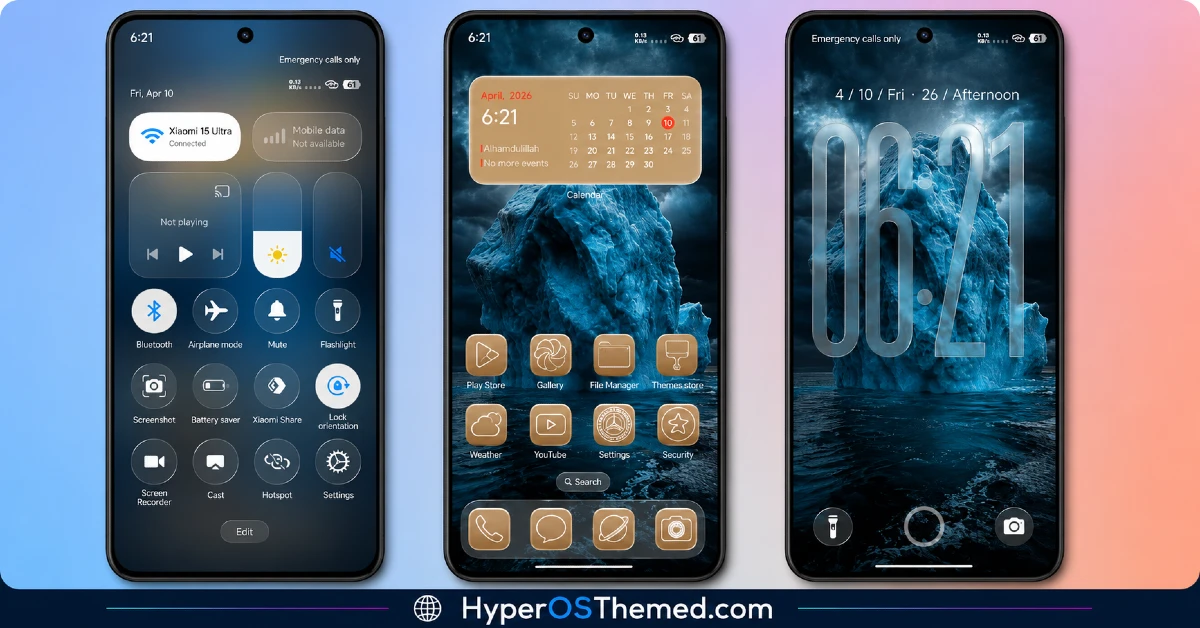
Rather than trying to reinvent HyperOS from scratch, Mango HOS3 leans into Xiaomi’s own design language and simply refines it. Here’s what stood out most while I was using it:
- Icons that don’t feel like an afterthought — minimal shapes, a well balanced color palette, and genuinely readable whether you’re in light or dark mode.
- A status bar and Control Center that actually got attention — cleaner toggles, better spacing between elements, and text you don’t have to squint at.
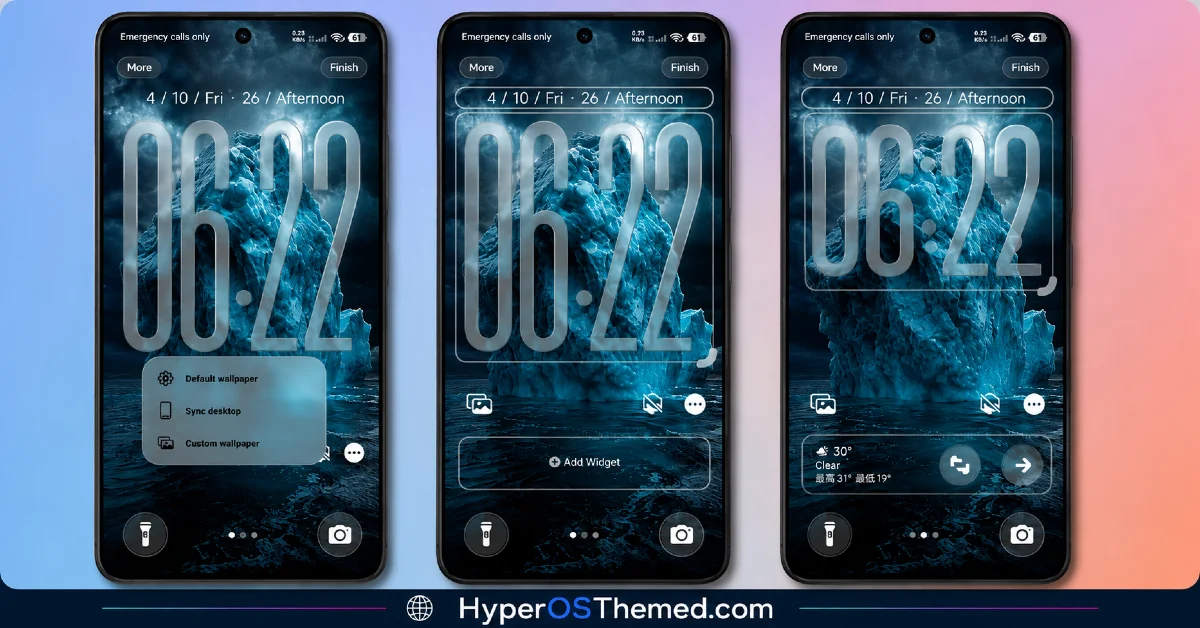
- A lock screen that keeps it simple — clear time, easy to read notifications, and typography chosen for legibility instead of flash.
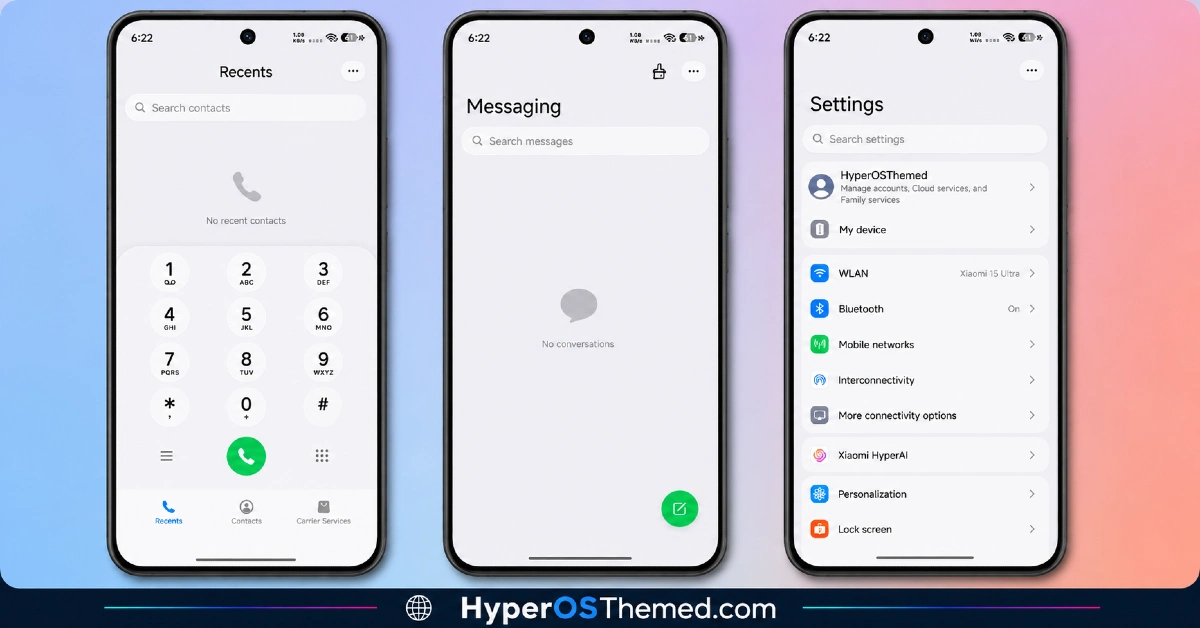
- A Settings menu that’s easier to navigate — better grouped options and consistent spacing throughout, so finding what you need doesn’t turn into a hunt.
- Animations that add polish, not lag — subtle transitions that make things feel smoother without ever slowing your phone down.
What ties all of this together is reach. This isn’t a theme that only touches your home screen and calls it done, it extends into your Settings, notifications, dialer, messaging, and the smaller system apps most themes conveniently skip.
Mango HOS3 HyperOS Theme Preview
Built With HyperOS 3 Specifically in Mind
Since Mango HOS3 supports HyperOS 2 and HyperOS 3, it’s able to take advantage of the newer system level improvements HyperOS 3 introduced, a smoother animation engine, better memory handling, tighter privacy controls, and improved connectivity across Xiaomi’s ecosystem. A lot of themes just sit on top of these upgrades without really using them, but Mango HOS3 genuinely benefits from that foundation.
It works across the full Xiaomi lineup too; Xiaomi, Redmi, and POCO devices are all supported, though don’t be surprised if a few UI elements look slightly different depending on your exact model or software version.
HyperOS update to function properly. Sticking to the official Theme Store for the download is always the safer call.
Should You Use the Mango HOS3 HyperOS Theme?
If you want a theme that looks clean, professional, and distraction-free without draining your battery or slowing your phone down, Mango HOS3 checks every box. It doesn’t need root access, doesn’t require third-party tools, and it’s genuinely built for people who actually use their phones all day, not just for someone snapping a quick preview screenshot.
Mango HOS3 HyperOS Theme Details
| Detail | Info |
|---|---|
| Theme Name | Mango HOS3 |
| Designer | Mydul Islam |
| Compatibility | HyperOS 2, HyperOS 3 |
| Availability | Xiaomi Theme Store |
| Supported Devices | Xiaomi, Redmi, POCO |
Getting the Theme
Getting It Installed on Global Stable ROM
If your device is running the standard HyperOS or MIUI Global stable build, here’s how to install it:
- Open this page using the Firefox browser, since it handles the redirect best.
- Tap the Official Theme Store Link above.
- The page will open in Chinese, which is expected. Tap the three dots in the top right corner and select “Open in app.”
- This opens the Theme Store app, where the download will begin.
- Once it’s downloaded, tap Apply.
If the Official Theme Store Link doesn’t open properly, switch to Chrome or your phone’s default browser. Some third party browsers don’t handle this redirect correctly.
Final Thoughts
Mango HOS3 isn’t trying to be flashy, and that’s exactly its strength. It’s the kind of theme you install once and genuinely forget you’re even using a custom theme, because everything just works the way it should. If a clean, stable, no-nonsense interface sounds like what your phone’s missing, this one is absolutely worth trying.
You may also like:
- Best HyperUI V4 HyperOS Theme For Poco, Redmi and Xiaomi Devices
- AJ Pink HyperOS Theme For Xiaomi, POCO and Redmi Phones
- Super26 HyperOS Theme iOS Style Skins For POCO, Redmi and Xiaomi
- Liuli OS 27 iOS 27 – Style Theme for POCO, Redmi & Xiaomi Devices
- Black Flower HyperOS Theme Best For POCO, Redmi & Xiaomi
