Xiaomi themes can change much more than the appearance of app icons. A well-designed theme can bring a consistent visual style to the home screen, lock screen, and Control Center without requiring a separate launcher. Monochrome themes, in particular, offer a quieter alternative to colourful interfaces.
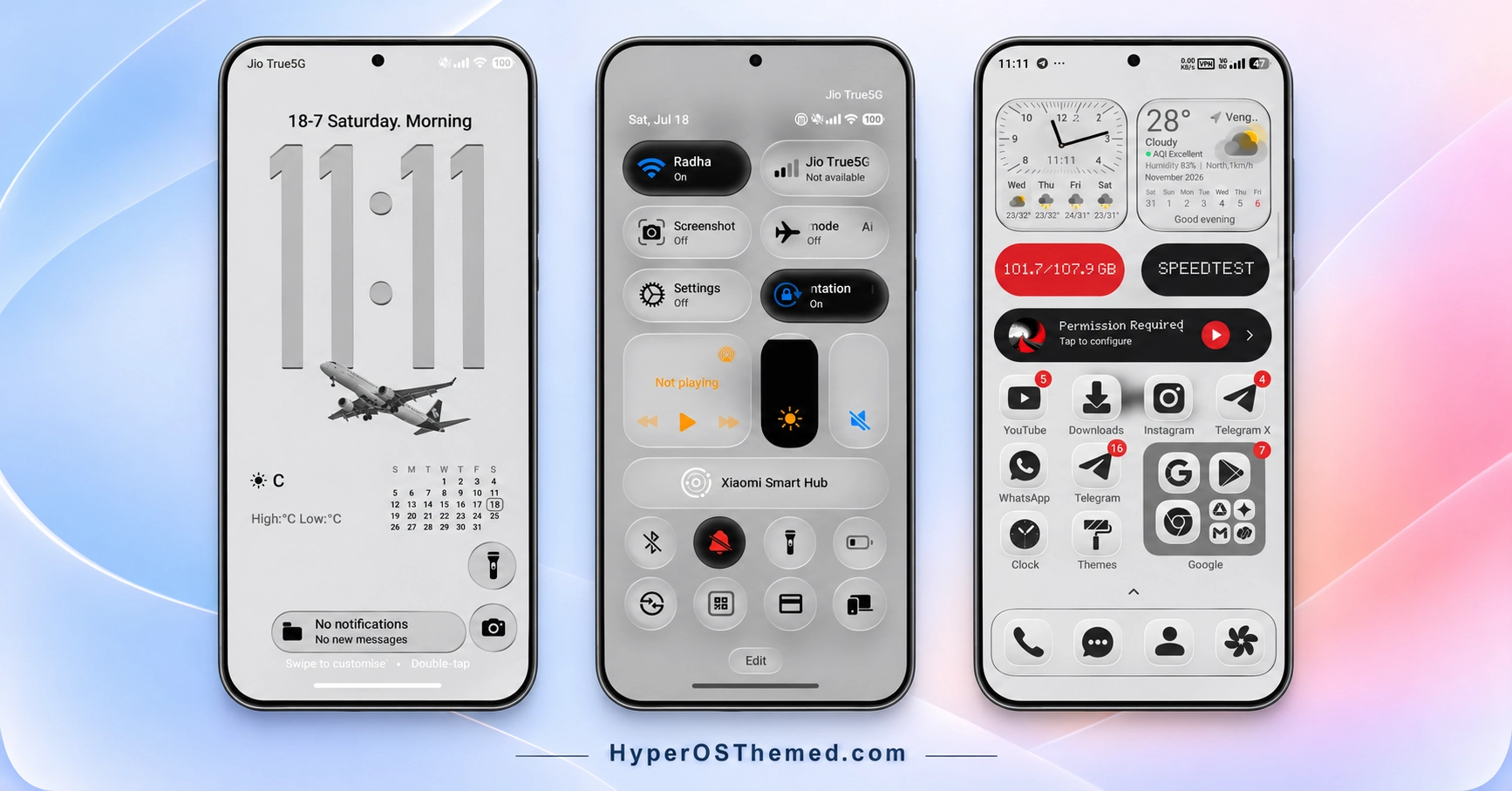
OX GRAY is a HyperOS 3 theme from OX × MS Premium Themes. Its design uses a light gray palette, rounded icons with subtle depth, and large typography. The lock screen follows the same restrained style, featuring oversized clock layouts, calendar and weather information, and a small airplane graphic in the showcased design.
The theme may appeal to users who prefer a clean, grayscale interface instead of colourful icons and wallpapers. Below, you can explore its visible design elements, preview images, compatibility details, and installation steps.
OX GRAY HyperOS Theme Key Highlights
- Gray gradient icon pack: Rounded icons use soft gray tones, subtle shadows, and a raised appearance.
- Minimal home screen: A light gray background and monochrome icons create a consistent look.
- Large lock screen clock: Oversized time displays are a central part of the lock screen design.
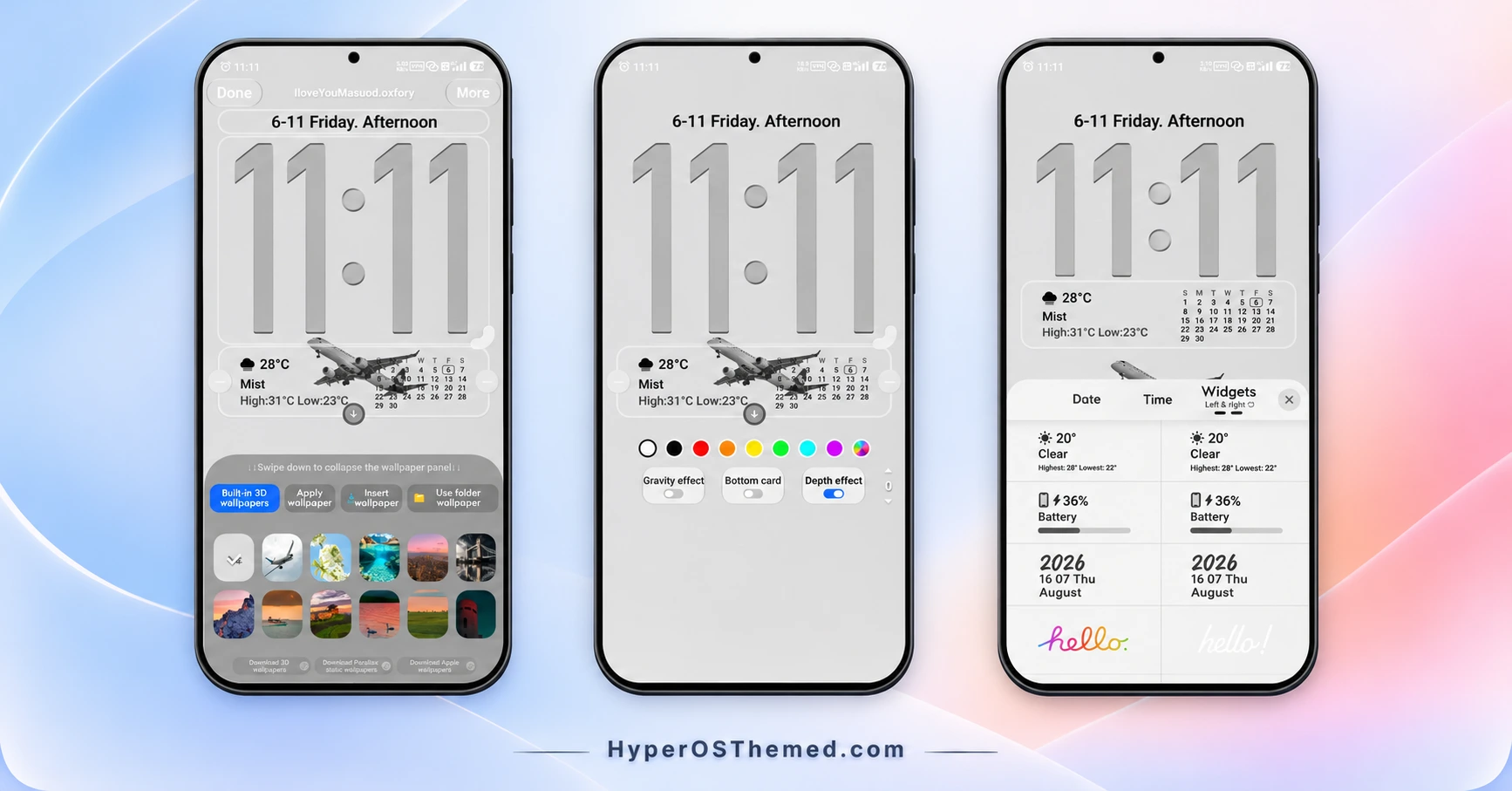
- Multiple clock layouts: The preview shows different time and date arrangements.
- Calendar and weather information: Lock screen layouts include calendar details and weather information.
- Lock screen shortcuts: Flashlight and camera shortcuts are visible in the preview.
- Depth and gravity effects: The theme description mentions depth-effect wallpaper support and an interactive gravity effect.
- Matching Control Center: Gray translucent panels, rounded toggles, and contrasting dark controls carry the same visual style into the system interface.
OX GRAY HyperOS Theme Preview
The screenshots show the theme across the lock screen, home screen, and Control Center. The home screen uses rounded gray icons and compact information widgets, while the lock screen features oversized typography. The Control Center follows a translucent gray design with rounded tiles and vertical brightness and volume controls.
OX GRAY HyperOS Theme Overview
| Details | Information |
|---|---|
| Theme Name | OX GRAY |
| Designer / Publisher | Oxfury |
| Compatibility | HyperOS 3 |
| Theme Style | Minimal, Gray, Monochrome |
| Availability | Xiaomi Themes Store |
Get OX GRAY HyperOS Theme
Open the official Xiaomi Theme Store page using the button below on your Xiaomi, Redmi, or POCO phone.
OX GRAY HyperOS Theme Compatibility
OX GRAY is listed for HyperOS 3. Compatibility with other HyperOS versions or specific device models is not confirmed by the available details. Check the official Theme Store page on your phone before applying it.
Why Choose OX GRAY HyperOS Theme?
OX GRAY brings the same understated gray styling to several parts of the interface rather than changing only the app icons. Its oversized lock screen clock, rounded monochrome icons, and matching Control Center make it a suitable option for users who prefer a consistent, minimal appearance.
Conclusion
OX GRAY offers a restrained visual style for HyperOS 3, built around gray gradient icons, large lock screen clocks, and a coordinated Control Center. If you prefer monochrome designs and less colourful interface elements, its screenshots are worth checking before applying the theme.
Frequently Asked Questions
1. Can I use OX GRAY on my Xiaomi, Redmi, or POCO phone?
OX GRAY is listed for HyperOS 3, but compatibility with every Xiaomi, Redmi, and POCO model has not been confirmed. Open its official listing in the Xiaomi Themes app to check availability for your phone and region. Support for other HyperOS versions is also unconfirmed.
2. Does OX GRAY change the Control Center as well as the icons?
Yes, the previews show matching designs for the home screen, lock screen, and Control Center. These include rounded gray icons, oversized lock screen clocks, and translucent gray control panels. The appearance on your phone may vary depending on compatibility.
3. Do I need a separate launcher to use OX GRAY?
No separate launcher is required. OX GRAY is applied through the Xiaomi Themes app, which handles the supported home screen, lock screen, and system appearance changes.
4. How do I install OX GRAY on a Global Stable ROM?
Open the official theme link on your phone and allow it to launch the Xiaomi Themes app. If the theme is available for your device and region, tap Download, then Apply once the download finishes.
5. What should I do if OX GRAY doesn’t look like the screenshots?
Restart your phone after applying the theme, then check the affected elements again. If they still look different, check the theme’s compatibility details in the Themes app. When reporting the issue, include your phone model, HyperOS version, and which part of the theme isn’t displaying correctly.
You may also like:
ARBITRUM HyperOS Theme with Custom Lock Screen, Scenic Wallpapers & Glass Control Centre
s4u16 HyperOS Theme with iOS 27-Inspired Lock Screen, Custom Widgets & Control Centre
Spark HyperOS Theme with Purple Gradients, Frosted Glass & Custom Widgets
s4u14 HyperOS Theme with Customisable Clock, Music Player & Control Centre