
The NOX_V3 HyperOS Theme by SabriTN brings an Apple-inspired interface to Xiaomi, Redmi and POCO smartphones. Designed for users who like the clean appearance of iOS, it combines rounded app icons, a bold lock-screen clock, custom wallpapers and blue-accented system controls.
NOX_V3 HyperOS Theme extends its styling across the home screen, status bar, Control Centre and Settings menus. It also supports multiple wallpapers that can be switched directly from the lock screen with a double tap, making it easier to refresh the appearance of your device without navigating through several menus.
NOX_V3 HyperOS Theme Key Highlights
1. iOS-Inspired Lock Screen and Wallpapers
- Bold Clock Design: A prominent clock gives the lock screen a clean, easily recognisable appearance.
- Multiple Wallpapers: Switch between supported background images to change the look of your phone.
- Double-Tap Wallpaper Switching: Change the lock-screen wallpaper with a double tap, as described in the theme details.
- Quick-Access Shortcuts: Flashlight and Camera shortcuts sit at the bottom of the lock screen for convenient access.
2. Rounded Icons and Consistent Home Screen
- Squircle App Icons: Rounded-square icon frames create an iOS-inspired home-screen appearance.
- Consistent Icon Sizing: Background masks help maintain a uniform size for third-party app icons.
- Coordinated Layout: Matching icon shapes and spacing give the home screen a more consistent visual style.
- Apple-Inspired Aesthetic: The design borrows visual cues from iOS while retaining the underlying HyperOS system.
3. Redesigned Control Centre and System Interface
- Blue Accent Colours: Control Centre toggles and status indicators use thin-line styling with classic iOS-inspired blue accents.
- Updated Status Bar: The status indicators follow the theme’s cleaner visual direction.
- System-Wide Styling: The theme extends its appearance to system menus and Settings, rather than changing only the wallpaper and icons.
- Translucent-Style Panels: The Control Centre can use a glass-like appearance on devices that support the required background blur.
NOX_V3 Theme Preview
The NOX_V3 Xiaomi Theme preview show different parts of the interface. The design focuses on rounded icons, a bold clock and an iOS-inspired system appearance.
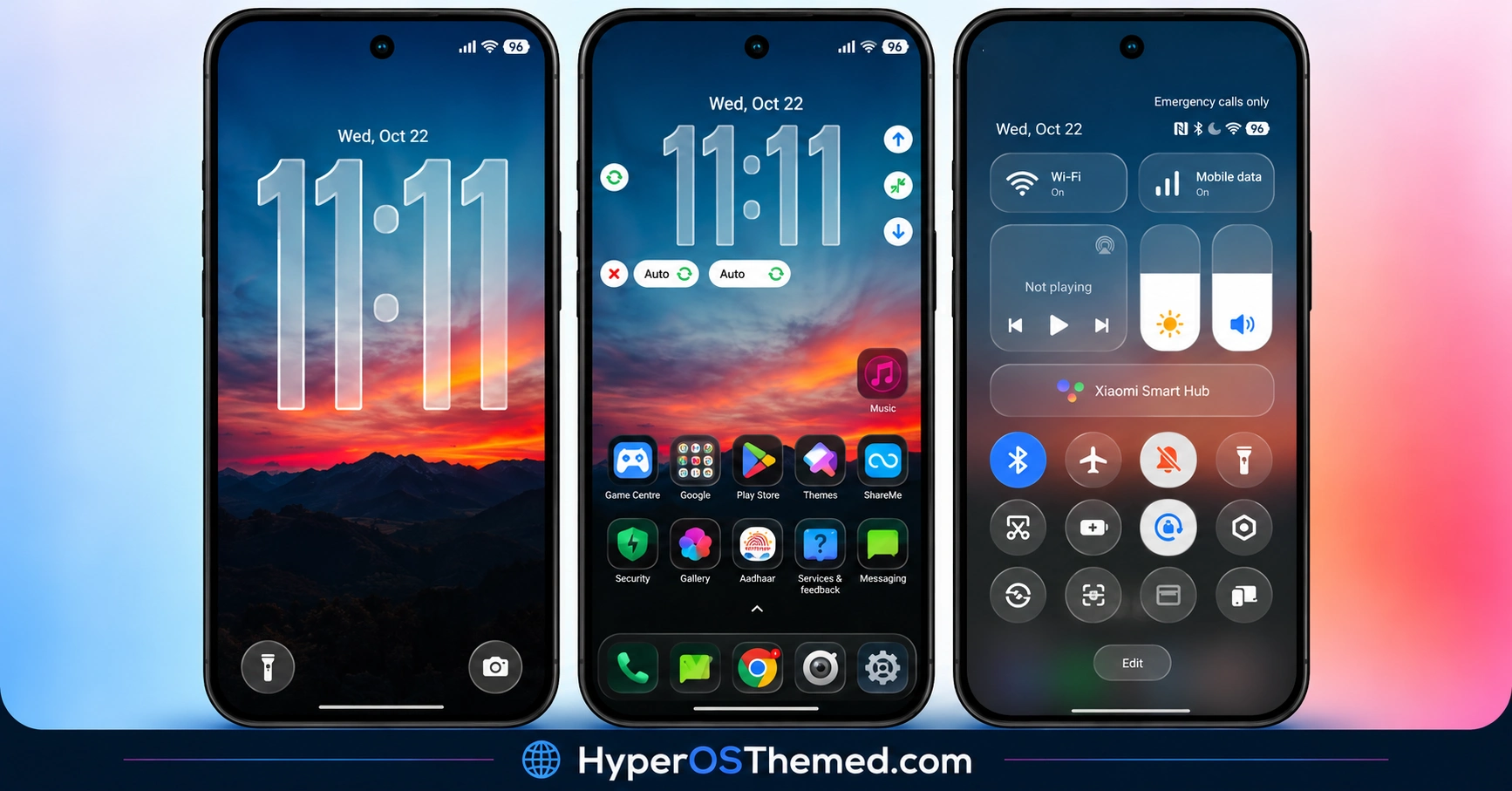
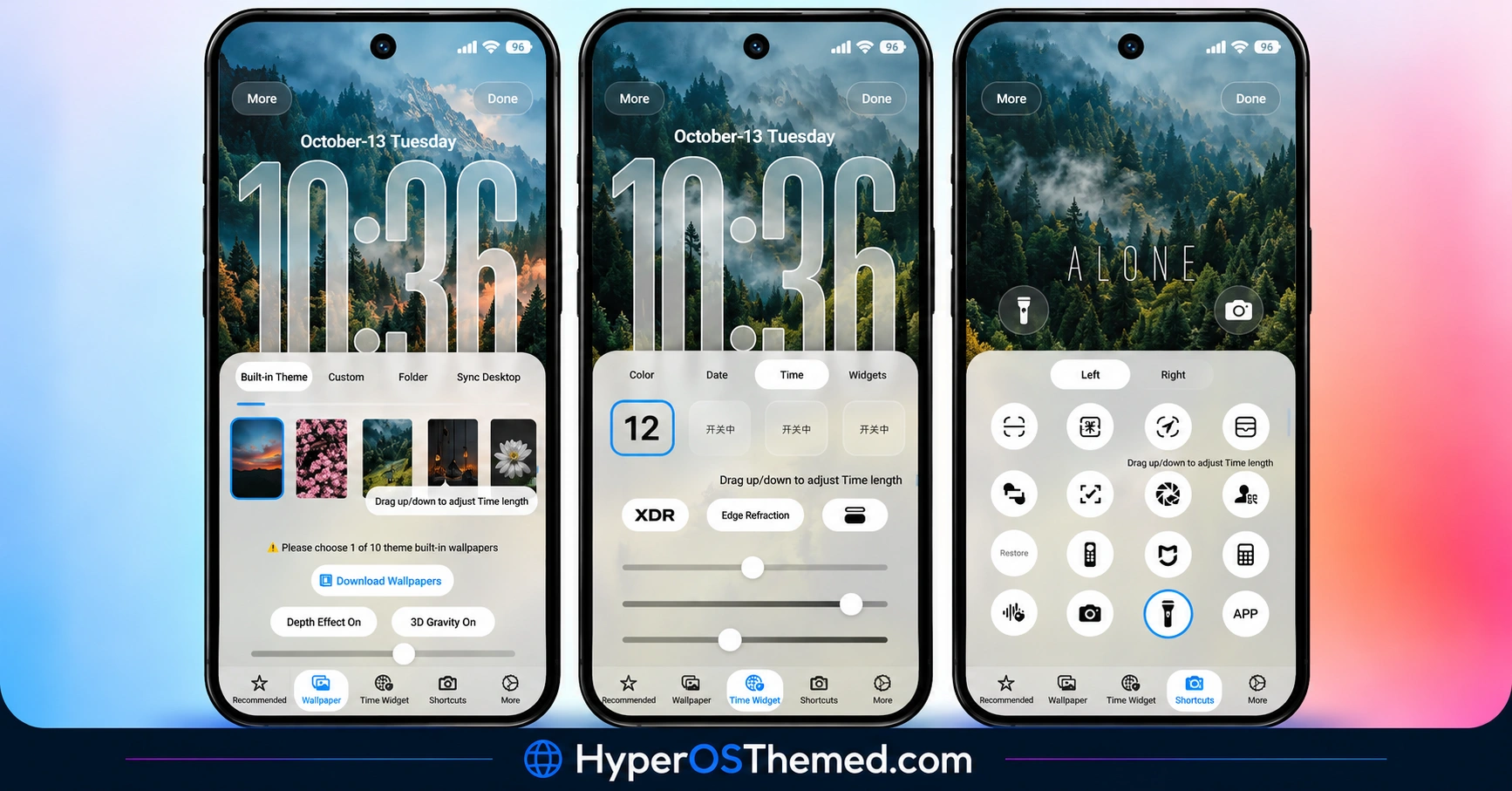
The wallpaper-switching feature adds variety to the lock screen, while the blue accents and thin-line controls create a consistent look across the Control Centre and status bar. The result is an alternative for users who prefer a cleaner, Apple-inspired visual style on their Xiaomi device.
NOX_V3 HyperOS Theme Overview
| Detail | Information |
|---|---|
| Theme Name | NOX_V3 |
| Designer | SabriTN |
| Availability | Official Xiaomi Theme Store |
| Region | Global |
| Supported Devices | Xiaomi, Redmi and POCO |
| Compatibility | HyperOS |
| Main Features | iOS-inspired icons, multiple wallpapers, custom clock, Control Centre styling and status bar |
| File Size | 56.62 MB |
| Price | Free |
Get NOX_V3 HyperOS Theme
NOX_V3 is listed for the Global region, with a reported package size of 56.62 MB. You can use the official Xiaomi Theme Store listing where it is available.
Download the package from a trusted source and confirm that your device supports the installation method before importing it.
NOX_V3 HyperOS Theme Compatibility
NOX_V3 is compatible with HyperOS on Xiaomi, Redmi and POCO smartphones. Specific compatibility with HyperOS 2 and HyperOS 3 has not been confirmed.
One limitation is worth noting: devices without native background-blur support may display solid grey panels in the Control Centre instead of translucent glass effects. This is a visual compatibility limitation, not necessarily a problem with the theme installation itself.
How to Install NOX_V3 on Global Stable ROM
If your Xiaomi, Redmi or POCO smartphone runs a compatible Global Stable HyperOS ROM, follow these steps to install NOX_V3 through the official Xiaomi Theme Store.
- Click the OFFICIAL THEME STORE LINK button above.
- When prompted to choose an application, select the Themes app to open the link.
- You will be redirected to the NOX_V3 Xiaomi Theme page in the Xiaomi Theme Store.
- Tap Download and wait for the download to finish.
- Tap Apply to activate the theme on your device.
Important notice: Restart your phone if icons are missing, elements overlap or parts of the interface do not display correctly after applying the theme. If the issue persists, leave a comment with your device model and HyperOS version for troubleshooting help.
Why Choose NOX_V3?
- iOS-inspired appearance: Rounded icons, blue accents and clean interface styling provide an Apple-inspired look.
- Convenient wallpaper switching: Change supported lock-screen wallpapers with a double tap.
- Consistent icon shapes: Background masks help maintain uniform third-party app icon sizing.
- System-wide visual changes: The design extends to the Control Centre and Settings menus.
Conclusion
The NOX_V3 HyperOS Theme by SabriTN offers an iOS-inspired visual refresh for Xiaomi, Redmi and POCO smartphones. Its rounded icons, bold lock-screen clock and multiple wallpapers give users several ways to personalise their device.
Blue-accented controls and matching system styling help carry the design across the interface. Keep in mind that devices without background-blur support may show grey Control Centre panels instead of translucent effects. Check compatibility before installation and restart your phone if display issues appear after applying the theme.
You may also like:
Luxury VK HyperOS Theme with Premium Icons, Custom Clocks and Charging Animation
Premium sk dark HyperOS Theme for Xiaomi, Redmi & POCO
S4u24 HyperOS Theme with Custom Lock Screen, Redesigned Icons and Control Centre
LINEA HyperOS Theme with Transparent Clock, Glass Icons and Dynamic Wallpapers
