
White and dust don’t sound like colors that belong in the same sentence as “green,” but that’s exactly the twist here, Whitedust HyperOS Theme actually centers on a soft green gradient rather than the stark white or grey you might expect from the name. Designer Erdiyan built it around that calm, muted green tone, then layered in custom icons and genuinely functional widgets on top rather than settling for decoration alone.
At just 12.2 MB, it’s one of the lighter theme downloads out there, and it’s filed under a handful of categories on the source site, HyperOS 2, Charging Animation, Chinese Themes among them, which hints at more going on under the hood than a first glance suggests.
Whitedust HyperOS Theme Key Features
- Soft Green Gradient Palette: Rather than going stark white or leaning into a generic dark theme, Whitedust HyperOS Theme Xiaomi uses a muted green with subtle gradient shading running through the interface. It reads as calm rather than cold, which is a harder balance to strike than it sounds.
- Custom Icon Set: Icons are built specifically to match the theme’s color language, so the home screen doesn’t end up with a mismatched grid of leftover default app icons. That cohesion is really what makes a theme feel finished rather than half-applied.
- Functional Home Screen Widgets: The widgets here aren’t just decorative, they’re built for quick access to things you’d actually use, while still keeping the layout clean rather than cluttered. That’s worth pointing out specifically since a lot of themes ship widgets that look nice but do nothing useful.
- Smooth System Animations: Transitions and interactions carry a bit of polish thanks to smoother animation work throughout, giving the whole experience a more considered, professional feel rather than the default HyperOS motion.
- Charging Animation Included: Based on its own category tagging, Whitedust comes with a custom charging animation bundled in, a detail plenty of icon-focused themes skip entirely. It’s a small addition, but it means the theme’s identity carries into moments beyond just the home screen.
- Clean, Distraction-Free Navigation: The layout stays uncluttered on purpose, making it easier to find what you’re looking for without extra visual noise competing for attention. That kind of restraint tends to matter more in daily use than it does in a screenshot.
- Genuinely Compact File Size: At 12.2 MB, Whitedust is remarkably light for a theme that includes custom widgets and a charging animation on top of the usual icon and wallpaper work. It downloads in seconds on most connections.
- Universal Device Compatibility: It’s built to look and perform consistently across Xiaomi, POCO and Redmi devices running HyperOS, rather than being tuned for just one specific model. That kind of even compatibility isn’t something every theme manages to pull off.
Whitedust HyperOS Theme Preview
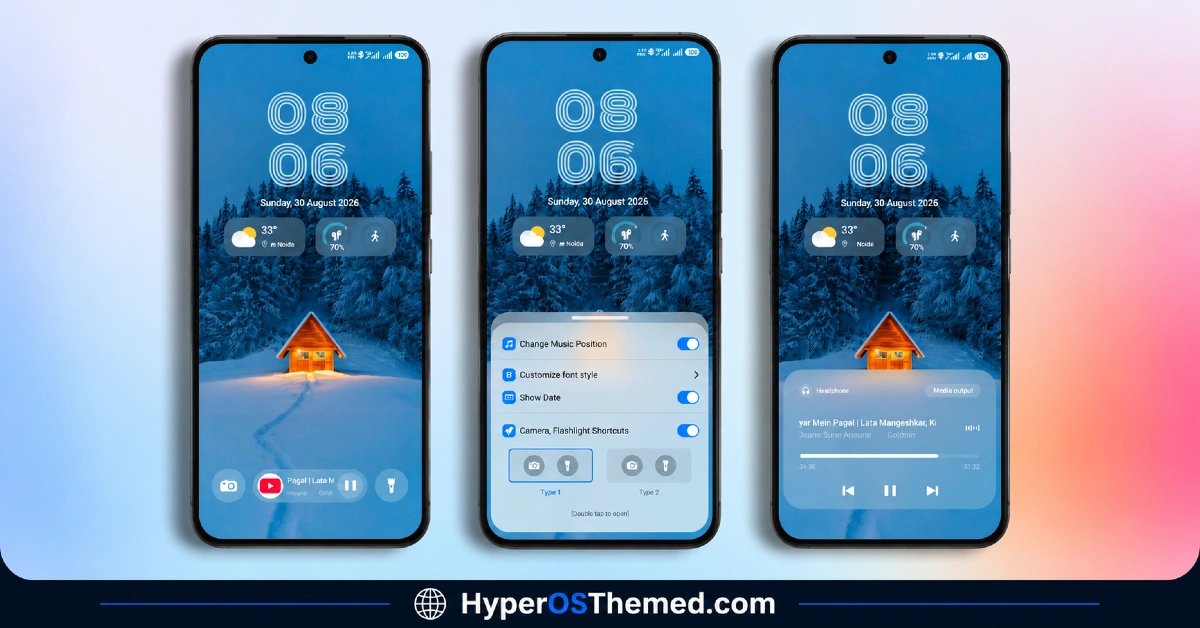
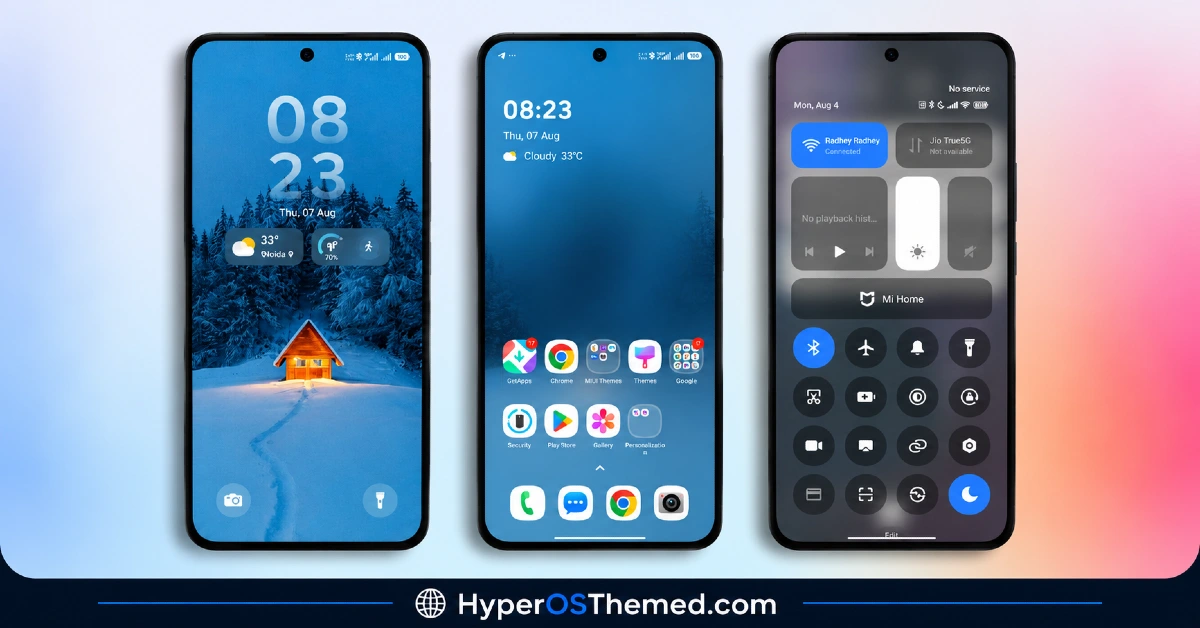
The screenshots below show the green gradient wallpaper, the matching custom icons and how the functional widgets sit on the home screen once the theme is applied. Since the muted color choice here is easy to misjudge from a description alone, it’s worth looking at the actual preview images before deciding if the tone fits your taste.
Whitedust HyperOS Theme Overview
| Attribute | Details |
|---|---|
| Availability | Free, via Xiaomi Theme Store |
| Supported Devices | Xiaomi, Redmi and POCO phones running HyperOS |
| Theme Name | Whitedust |
| Designer | Erdiyan |
| Region | Global |
| Compatibility OS | HyperOS |
| Features | Green gradient palette, custom icon set, functional widgets, smooth animations, charging animation |
| File Size | 12.2 MB |
Whitedust HyperOS Theme Compatibility
Whitedust is built for HyperOS and works consistently across Xiaomi, Redmi and POCO devices, without needing separate versions for different phone models. Given its small file size and fairly restrained visual effects, there’s not much room for the kind of rendering issues that heavier, transparency-driven themes sometimes run into. Custom ROM users can typically bring it in manually through the Theme Store’s import option, and since the design leans on color and layout rather than 3D or depth effects, it tends to hold up consistently across a wide range of hardware.
Get Whitedust HyperOS Theme
Download Whitedust only through the official Theme Store link or the direct MTZ file rather than random third-party file hosts or unofficial APK uploads. Files sourced outside verified channels are difficult to confirm as unaltered and may not reflect what Erdiyan actually released. Sticking to the official links keeps the installed version consistent with the intended design and ensures any future updates remain accessible.
How to Whitedust HyperOS Theme on Xiaomi
Follow the steps below to apply the theme:
- Open the Theme Store link given above on your Xiaomi, Redmi or POCO device.
- This will redirect you to the Theme Store.
- Download and install the theme.
- Tap on Apply.
- Customize specific elements such as icons, lock screen or status bar if needed.
- Reboot your device for the full effect, though this step is optional.
Note: If anything looks overlapped or doesn’t display correctly right after installing, restarting the device usually clears it up without further steps. Given its light file size and straightforward design, Whitedust tends to install cleanly without much fuss. Still, if something looks off on a specific device once it’s applied, leaving a comment with the details helps get it looked into.
Installing Whitedust HyperOS Theme on Custom ROM Devices
Devices running a Custom ROM aren’t able to use the direct Theme Store link, so the MTZ file needs to be brought in manually through the Theme Store app instead. Here’s how that works:
- Grab the MTZ file for Whitedust from the download section.
- Open the Theme Store app.
- Go into the Themes tab.
- Scroll down to find the Import option, then tap it.
- Use the file manager to locate the downloaded .mtz file.
- Wait for the import process to finish.
- Tap the theme once it appears in the list to apply it.
Why Choose Whitedust HyperOS Theme?
- Distinctive green gradient tone — a calmer, more unusual color choice than the typical white, black or red themes.
- Widgets that actually do something — functional shortcuts rather than purely decorative additions.
- Charging animation included — a bonus most icon-focused theme packs skip entirely.
- Coordinated icon design — icons match the wallpaper’s color language for a genuinely finished look.
- Extremely light file size — 12.2 MB is small even by lightweight-theme standards.
- Consistent across devices — the same look and performance whether you’re on Xiaomi, POCO or Redmi.
- Free official download — no cost involved through a legitimate Theme Store link.
Conclusion
Whitedust HyperOS Theme earns its spot mainly by being genuinely useful rather than just pretty, the functional widgets and included charging animation give it more staying power than a lot of themes built purely around a color scheme. Its tiny file size makes it an easy, no-risk download to try out, and the muted green tone offers something a bit different from the usual black, white or red options crowding this space. For Xiaomi, Redmi and POCO users who want understated elegance with some real function behind it, Whitedust is well worth trying.
You may also like:
GIN SAND HyperOS Theme with Minimal Liquid Glass effect for Xiaomi, POCO, Redmi (2026)
iP26 Super 3D Depth of Field HyperOS Theme for Xiaomi, POCO, Redmi
FrostedRealm HyperOS Theme with 3D Liquid Glass Effect for Xiaomi, POCO, Redmi
TNV1 HyperOS Theme with Feature-Rich Lock Screen for Xiaomi, POCO, Redmi
Captain Cook Super 3D HyperOS Theme with Complete iOS Style & Depth Effects for Xiaomi, POCO, Redmi
